
Cinematic01
“A cinematic drone shot flying above a futuristic city at sunset, realistic lighting, smooth camera movement, ultra detailed, film quality.”
Hosted creative workflow
Create cinematic AI videos with MiniMax H3 online. Test creative prompts, explore video generation quality, and generate videos directly from your browser.
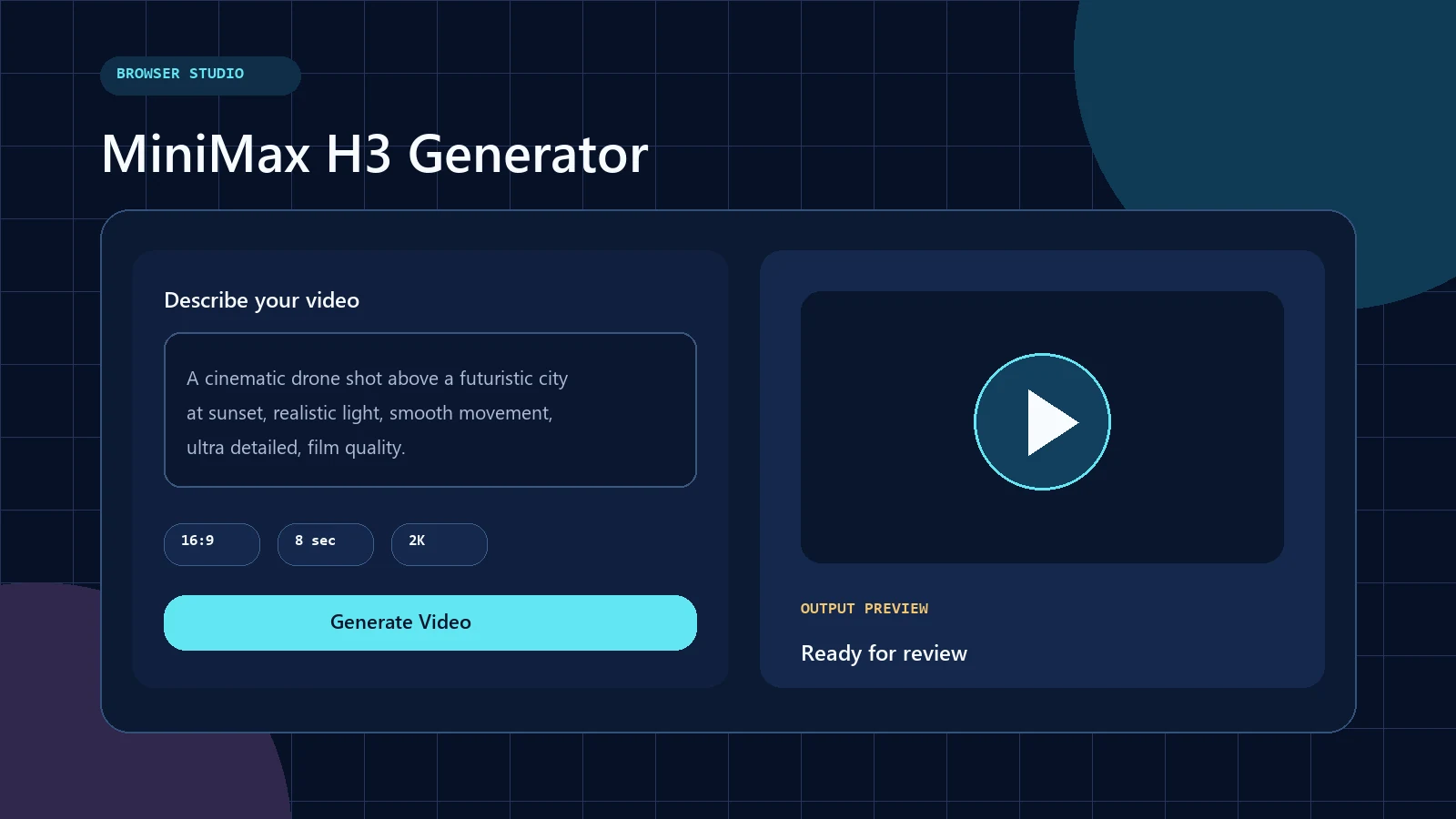
Live creation studio
Experience MiniMax H3 AI video creation directly in your browser. Enter a prompt and generate videos without installing local models or managing GPU infrastructure.
Model card / 01
| Feature | Details |
|---|---|
| Model | MiniMax H3 |
| Category | AI Video Generator |
| Main Capability | Text-to-video generation |
| Access | Online browser experience |
| GPU Requirement | No local GPU required |
| Best Users | Creators, marketers, SaaS builders |
Context / 02
Fal MiniMax H3 describes exploring MiniMax H3 video generation through hosted AI workflows. Instead of installing complex environments, users can experience AI video creation online and focus on prompts, creativity, and output quality.
This page keeps the generator at the center of the experience. Supporting material explains prompt design, evaluation methods, and creation choices without turning the journey into an API documentation funnel.
Signal path / 03
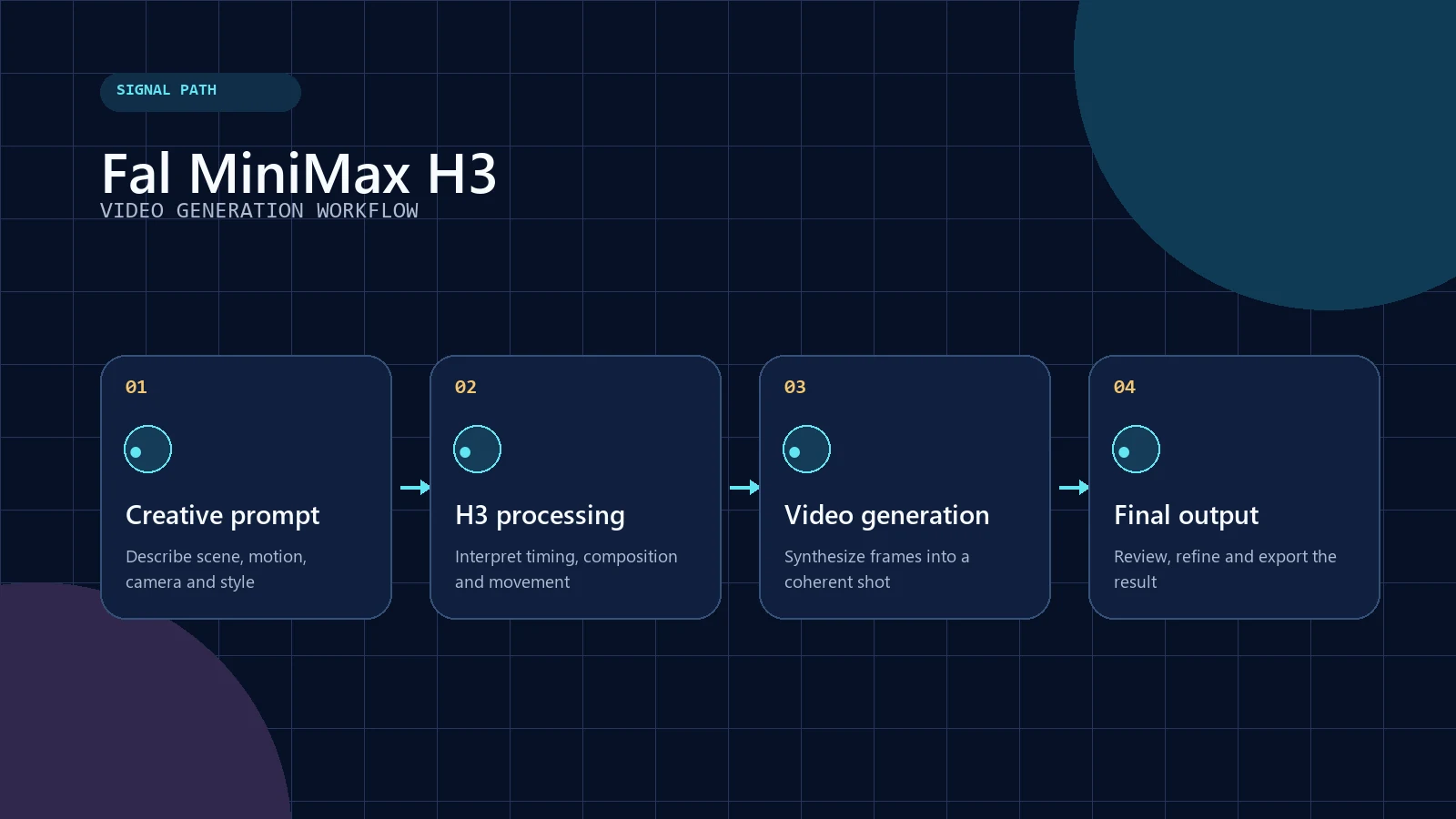
MiniMax H3 transforms text descriptions into AI-generated videos through a streamlined workflow. Users describe scenes, motion, camera angles, and visual styles through prompts, then receive generated video output.
User Prompt
MiniMax H3 Processing
AI Video Generation
Final Video Output
Original research / 04
We created these examples to evaluate common MiniMax H3 AI video generation scenarios.
The dataset separates motion, marketing, character consistency, and camera movement into distinct tests so each prompt has one clear evaluation purpose.
| ID | Category | Prompt Type | Purpose |
|---|---|---|---|
| TEST-001 | Cinematic | Film scene | Motion quality evaluation |
| TEST-002 | Product | Commercial video | Marketing workflow testing |
| TEST-003 | Character | Story prompt | Consistency testing |
| TEST-004 | Camera | Motion prompt | Camera movement testing |
Prompt deck / 05
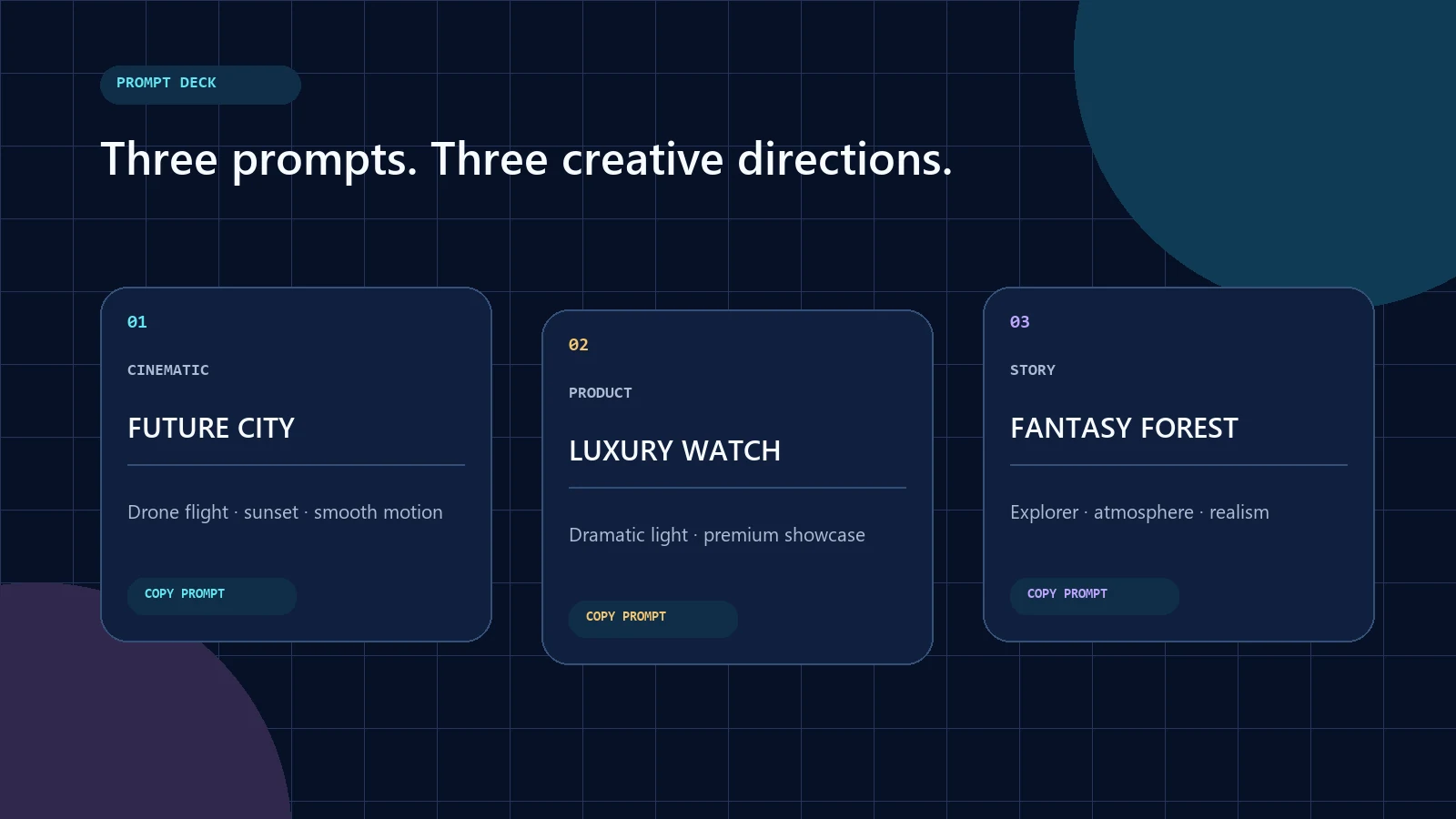
“A cinematic drone shot flying above a futuristic city at sunset, realistic lighting, smooth camera movement, ultra detailed, film quality.”
“A luxury watch commercial with dramatic lighting, premium product showcase, slow camera movement, cinematic advertising style.”
“A young explorer walking through a fantasy forest, cinematic atmosphere, realistic character movement, detailed environment.”
For a larger prompt library, explore our MiniMax H3 prompts and the step-by-step MiniMax H3 prompt guide.
Decision matrix / 06
| Method | Best For | Difficulty |
|---|---|---|
| MiniMax H3 Generator | Fast AI video creation | Easy |
| fal.ai Workflow | Experimentation | Easy |
| Hugging Face | Community exploration | Medium |
| ComfyUI | Advanced workflows | Advanced |
| Local Deployment | Technical users | Hard |
Builder note / 07
MiniMax H3 can support AI video workflows for applications and creative products. Developers can explore different integration approaches while creators can use online generation tools without technical setup.
Before production use, evaluate workload, provider behavior, storage, safety controls, latency, output review, and the user experience around asynchronous generation.
Users should move from search intent to prompt entry and output review without an unnecessary documentation detour.
Playback / 08
Watch how MiniMax H3 transforms text prompts into AI-generated videos.
Answer library / 10
Fal MiniMax H3 refers to exploring MiniMax H3 video generation through hosted workflows such as fal.ai. The approach gives creators and developers a way to test prompts, study output quality, and create AI videos without first configuring local model weights, GPU drivers, inference environments, or a custom serving stack.
Yes. You can use the browser-based generator on this page to turn a written scene description into an AI-generated video. Start with a clear subject, action, setting, camera direction, and visual style. After generation, review the result and adjust the prompt if the motion, framing, or atmosphere needs refinement.
The simplest route is to use an online MiniMax H3 generator that handles model hosting and inference for you. Enter a prompt in the generator above, choose the available generation settings, and start the job. This avoids downloading model files or building a local workflow before you can evaluate the model.
MiniMax H3 inference requires substantial compute somewhere, but a browser-based generator does not require a GPU on your own computer. The hosted service manages the inference infrastructure remotely. Local deployment is different: it may require compatible GPU hardware, enough memory, model files, dependencies, and a correctly configured runtime environment.
MiniMax H3 can be approachable for beginners when it is presented through a guided online generator. New users can focus on describing the desired scene instead of managing technical infrastructure. A useful first prompt names one subject, one action, one environment, one camera movement, and one visual style without adding conflicting instructions.
Yes. Creators can use a visual generator interface without writing code or calling an API. The main creative work is prompt design: explaining what appears in the shot, how it moves, how the camera behaves, and what the final look should feel like. Coding becomes relevant only for custom product integrations or automation.
Effective MiniMax H3 prompts are specific but coherent. Describe the subject, action, environment, camera movement, lighting, and intended style in a logical order. Avoid stacking contradictory camera directions or too many simultaneous events. For repeatable testing, change one variable at a time and compare the resulting motion, composition, and consistency.
MiniMax H3 can be prompted for cinematic scenes by specifying shot type, camera movement, lighting, atmosphere, pacing, and visual detail. Phrases such as tracking shot, slow dolly, aerial reveal, practical lighting, shallow depth of field, or filmic contrast provide useful direction. Output still depends on prompt clarity and the selected generation settings.
MiniMax H3 can support concept videos, product showcases, social clips, campaign storyboards, and other marketing experiments. A marketing prompt should identify the product, audience mood, visual hierarchy, camera behavior, and desired brand feeling. Generated material should still be reviewed for factual accuracy, brand consistency, usage rights, and platform requirements before publication.
Text-to-video is a central MiniMax H3 capability: a written prompt is interpreted as instructions for subjects, motion, composition, and visual style, then transformed into a video sequence. MiniMax H3 workflows may also support additional visual references depending on the implementation, but this page focuses on the direct browser-based text-to-video creation path.
A user submits a prompt describing the intended shot. The hosted workflow processes that instruction, translates it into visual and temporal guidance, and synthesizes a sequence of frames. The generated frames are assembled into the final video output. Users can then review the clip, revise the prompt, and generate another version when needed.
For most nontechnical users, the easiest method is a hosted browser generator. It removes model installation, dependency management, and local GPU setup from the first experience. Enter a concise prompt, use the default settings, generate one test clip, and then improve the result by refining subject movement, camera direction, lighting, or visual style.
Developers can explore MiniMax H3 for creative applications, internal tools, media workflows, and SaaS products. The appropriate integration path depends on the available provider, workload, latency needs, storage design, safety controls, and product experience. This page prioritizes direct creation; developers should separately evaluate provider documentation before committing to production architecture.
Alternatives include other hosted AI video generators and open or commercial video models that provide text-to-video or image-to-video workflows. The best choice depends on motion quality, prompt adherence, resolution, audio support, generation time, pricing, licensing, and deployment needs. Compare the same prompt across tools rather than relying only on showcase examples.
MiniMax H3 is the video model or generation capability, while ComfyUI is a node-based interface used to assemble advanced local or hosted workflows. A browser generator is easier for quick creation. ComfyUI offers more workflow control but introduces model setup, nodes, dependencies, hardware planning, and troubleshooting that beginners may not need.
MiniMax H3 is a model family, whereas Hugging Face is a platform where model cards, repositories, community resources, and demos may be published. A hosted generator provides a focused creation experience. Hugging Face is more useful for technical exploration, checking repository information, reviewing community implementations, and understanding the broader open-model ecosystem.
Yes. A browser interface can collect your prompt and settings while remote infrastructure performs the computationally intensive generation. Your local device mainly handles the web interface and result playback, so no local GPU is required. Generation availability, account requirements, credits, supported formats, and output settings depend on the service operating the workflow.
Generation time varies with provider capacity, queue length, resolution, duration, workflow type, and current demand. A short clip may complete sooner than a long or high-resolution request, but there is no single reliable speed for every job. Treat completion estimates as directional and measure the exact workflow you plan to use repeatedly.
MiniMax H3 is designed for AI video creation with an emphasis on translating detailed prompts into moving visual sequences. Its practical value depends on prompt understanding, motion coherence, camera control, visual quality, supported output options, and the workflow serving it. The most useful evaluation is a controlled prompt test against your actual creative requirements.
You can test MiniMax H3 directly in the generator on this page. Enter a creative prompt, keep the first test simple, and review motion, composition, camera behavior, and visual consistency. The included prompt examples and test dataset provide starting points for cinematic, product, character, and camera-movement evaluations without requiring a local installation.
Final frame
Generate your first AI video with MiniMax H3 and explore next-generation AI video creation.