MiniMax H3 Text-to-Video Examples
Prompt + output pair
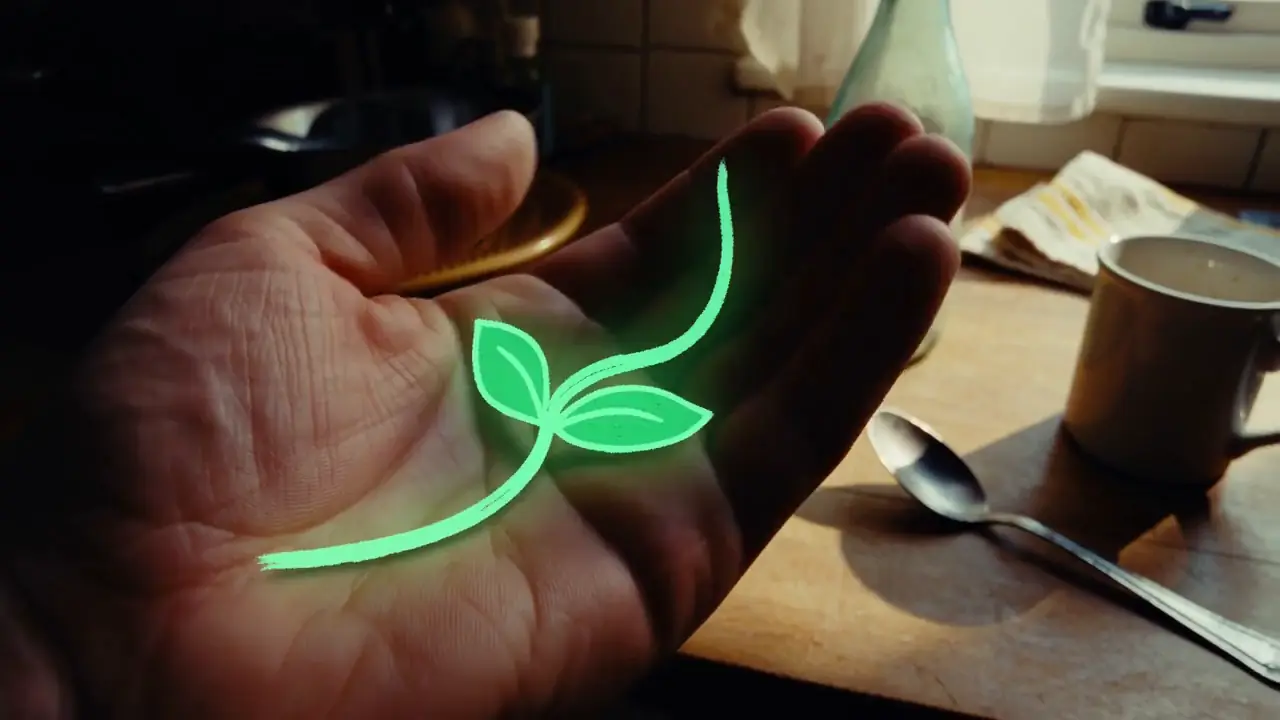
Hand-Drawn Kitchen Creature
15 seconds, 16:9 landscape. Blend live-action footage of a small kitchen at dusk with hand-drawn luminous animation. The last sunset light lingers at the window. The lived-in kitchen contains an old wooden table, a half-washed mug, a lightly fogged glass bottle, and a hanging dish towel. Shoot as if someone is filming one-handed on a phone: subtle hand tremor, hesitant close-focus pulls, backlit exposure breathing, and slightly coarse noise in the shadows. It should feel like an astonishing event captured in a rush at home, not a carefully dressed commercial. Do not show giant eyes, split mouths, fangs, threatening behavior, lunges, sudden black frames, or jump scares. Use only room tone, cloth friction, a soft mug clink, faucet drips, the camera operator’s footsteps and quiet breathing, plus gentle electronic tones and tiny vocalizations from the drawn creatures.
- Prompt anatomy
- Text-only opening state, timed visual action, camera, scene sound and continuity constraints.
- What to notice
- The added encounter arc gives the creature one clear action per beat and isolates practical room sound from non-diegetic music.
Prompt + output pair
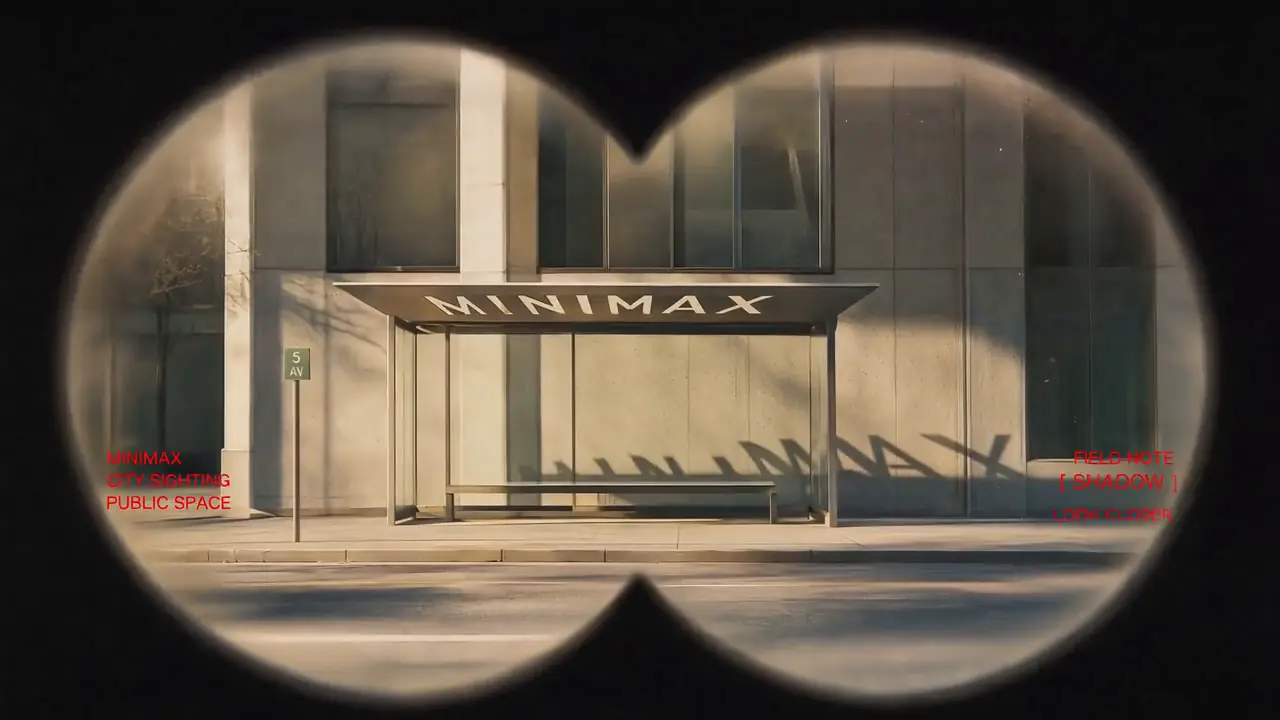
Neon Laundromat Encounter
15 seconds, 16:9 landscape. Combine a live-action late-night laundromat with hand-drawn luminous animation. The small self-service laundromat has gently flickering fluorescent lights, running washers, plastic baskets, a worn bench, and one sock on the floor. Keep the space quiet and faintly nostalgic. Use a one-handed phone-camera feel with visible shake, exposure fluctuation under white fluorescent light, environmental reflections in glass, and delayed autofocus at close range. Avoid polished commercial composition; it should feel like an authentic late-night encounter, filmed while following a strange apparition.
- Prompt anatomy
- Text-only opening state, timed visual action, camera, scene sound and continuity constraints.
- What to notice
- A chase-and-settle timeline makes the apparition readable without losing the observational late-night phone aesthetic.
How to Use MiniMax H3 Text to Video
1. Establish the opening scene
2. Describe what changes
3. Direct the camera and sound
4. Generate and diagnose
MiniMax H3 prompting becomes easier to debug when visual events, environmental audio, and background score are treated as separate control layers rather than one undifferentiated paragraph.
MiniMax H3 Native Text-to-Video Prompt Structure
integrated_multimodal_description:
[Shot 1] ...
overall_soundscape:
...
non_diegetic_music:
...integrated_multimodal_description
overall_soundscape
non_diegetic_music
The three fields solve different problems: the first controls the audiovisual timeline, the second summarizes the world the scene sounds like, and the third controls audience-only score. Keeping these roles separate makes the prompt easier to write and easier to debug.
Quick Prompt Formula vs Native H3 Format
| Category | Quick planning formula | Native H3 structure |
|---|---|---|
| Purpose | Plan the creative shot | Structure the final H3 instruction |
| Visual planning | Subject + Action + Environment + Camera + Lighting | integrated_multimodal_description |
| Ambient / physical sound | Usually folded into one sentence | overall_soundscape |
| Audience-only score | Often omitted | non_diegetic_music |
| Timing | Usually implicit | Can be written as an explicit shot timeline |
| Best use | Fast ideation | Structured H3 control |
Subject + Action + Environment + Camera is a useful planning framework, but it should not be confused with the native H3 prompt format. The planning decisions ultimately belong inside H3's audiovisual timeline and dedicated sound fields.
How to Prompt Native Audio in MiniMax H3
| Audio type | Where to describe it |
|---|---|
| Spoken dialogue | Inside the relevant moment of the audiovisual timeline |
| Synchronized action sound | Inside the relevant shot/timeline event when timing matters |
| Persistent rain, wind or traffic | overall_soundscape |
| Footsteps / cloth / room tone | overall_soundscape when treated as continuing sound environment |
| Audience-only background score | non_diegetic_music |
| Music playing inside the fictional scene | Treat it as diegetic scene audio rather than audience-only score |
Dialogue and tightly synchronized sound events belong with the visual event they accompany. Persistent environmental audio belongs in the overall soundscape, while audience-only background score belongs in non_diegetic_music.
- Visual event
- A ceramic cup is placed on a saucer.
- Synchronized sound
- The cup touches the saucer with a short ceramic click.
- Persistent soundscape
- Low cafe room tone, rain against windows and distant conversation.
- Audience-only score
- Sparse muted piano at a slow tempo, fading before the final frame.
How Multi-Shot Timing Works in MiniMax H3
integrated_multimodal_description:
[Shot 1] Live-action, cinematic. A medium-wide tracking shot follows a woman in a red coat walking through a rain-covered station.
[Shot 2] At 00:05.000, the camera cuts to a close-up from her left side as she stops and looks toward the arriving train.The first shot establishes the initial state. A later shot should introduce meaningful new information—such as a new viewpoint, state, spatial relationship, or story beat. If only camera distance or angle needs to change slightly, prefer continuous camera movement instead of adding an unnecessary cut.
Cut timing must remain inside the selected video duration.
Complete MiniMax H3 Text-to-Video Prompt Example
integrated_multimodal_description:
[Shot 1] Live-action, cinematic. A medium-wide shot frames a woman in a long red coat standing alone on a snow-covered rural train platform during blue hour. Warm light glows through the station windows behind her while cold blue ambient light fills the platform. She begins walking slowly toward the far end of the station as the camera dollies sideways beside her with small amplitude at slow speed. Wind moves the lower edge of her coat and loose strands of hair while fine snow crosses the frame.
[Shot 2] At 00:05.000, the camera cuts to a close-up from her left side. She stops and turns toward the tracks as the distant headlights of an approaching train become visible through the snowfall. The light grows gradually brighter across her face while she remains still.
overall_soundscape:
Soft winter wind moves across the platform with light footsteps compressing snow beneath her shoes. A low station ambience continues underneath the distant metallic vibration of an approaching train.
non_diegetic_music:
Sparse felt-piano notes at a slow tempo with sustained low strings underneath, gradually increasing in volume before fading at the end.Why this structure works
- Visual timeline
- Defines initial state, action, camera and later shot.
- Soundscape
- Contains persistent environmental and physical sound.
- Music
- Separates the audience-only score from the world of the scene.
Editorial example. It is not labeled as an official or tested output.
MiniMax H3 Text-to-Video Prompt Examples
Editorial prompt
Cinematic
A detective stands beneath a flickering streetlight on an empty rain-covered road at midnight. Fine rain falls through the light while distant headlights move through fog. The camera slowly circles from a medium shot while wet pavement reflects the streetlight.
Prompt focus: camera + atmosphere + environmental motion
Editorial prompt
Product Ad
A polished silver sports watch rests on a dark reflective surface while narrow beams of light sweep across the case. Fine water droplets catch the highlights as the camera performs a slow macro push-in.
Prompt focus: material + lighting + controlled camera movement
Editorial prompt
Character Motion
A young woman turns toward the camera and begins walking through a crowded outdoor market. Her hair and jacket move naturally as people pass behind her. The camera tracks backward at eye level.
Prompt focus: subject motion vs background motion vs camera motion
Editorial prompt
Nature
A herd of horses runs across open grassland just after sunrise. Dust rises behind them while warm light passes through the particles. The camera tracks parallel to the herd from a distant telephoto view.
Prompt focus: primary action + environmental motion + camera relationship
MiniMax H3 Text to Video vs Image to Video
| Category | Text to Video | Image to Video |
|---|---|---|
| Starting input | Text description | Existing starting image |
| Initial visual state | Must be established by the prompt | Anchored by the input image |
| Best for | Building a scene from an idea | Animating an existing composition |
| Appearance control | Defined through language | Strongly influenced by source image |
| Prompt responsibility | Describe opening state + development | Describe how the anchored image develops |
Use text-to-video when the visual scene exists primarily as an idea. Use image-to-video when you already have a composition, character appearance, product design, or keyframe that should anchor the generated motion.
What to Change When a MiniMax H3 Result Is Wrong
| Problem | Change first |
|---|---|
| Wrong subject or action | integrated_multimodal_description |
| Wrong opening composition | Opening section of Shot 1 |
| Wrong camera movement | Camera instruction in the affected shot |
| Wrong cut timing | Later [Shot N] timestamp / transition |
| Weak environmental audio | overall_soundscape |
| Wrong background score | non_diegetic_music |
| Visual result is good but motion is wrong | Keep appearance description; revise action/camera |
| Audio is good but visuals are wrong | Keep sound fields; revise visual timeline |
| Scene feels overloaded | Reduce simultaneous actions or cuts |
Do not rewrite every part of an H3 prompt when only one layer is wrong. Treat the visual timeline, environmental sound, and background score as separate control surfaces and revise the layer responsible for the problem.
How to Improve MiniMax H3 Text-to-Video Results
Establish the initial state
Separate subject and camera motion
Avoid unnecessary cuts
Use concrete audio nouns
Change one control layer at a time
Need More Control Over Camera Movement?
Text-to-video prompts can describe camera behavior directly, but camera-focused workflows deserve deeper treatment. For shot language, camera commands, movement patterns, and MiniMax H3 Director-specific guidance, use the dedicated Director page.
Explore MiniMax H3 DirectorMiniMax H3 Text-to-Video FAQ
Explore More MiniMax H3 Resources
MiniMax H3 Prompts
Browse structured prompt examples for different scenes, camera movements, audio designs, and H3 workflows.
MiniMax H3 Prompt Guide
Learn the full MiniMax H3 prompt-writing framework and more advanced prompting patterns.
MiniMax H3 Director
Explore camera movement, shot language, and Director-specific workflows.
MiniMax H3 ComfyUI
Learn how to use MiniMax H3 in ComfyUI workflows.
MiniMax H3 Official Website Guide
Find verified official MiniMax H3 destinations and independent navigation guidance.
Sources and Testing Notes
This page separates documented MiniMax H3 behavior from minimax3.org workflow guidance. Technical descriptions of H3's T2VA prompt structure are based on MiniMax's current H3 repository and prompt-writing guidance. Editorial examples on this page are written to demonstrate that structure and should not be treated as measured model results unless a generated output is shown beside them.