Black Friday: 20% off every plan and credit pack until November 27, 2026, 11:59 PM ET. Code:See the deal

CURRENT MODEL GUIDE · VERIFIED SEPTEMBER 2026

Best MiniMax H3 Alternatives in 2026

Compare eight current MiniMax H3 alternatives by duration, resolution, native audio, multimodal references, API access, local deployment, editing workflow and real cost—not launch-demo hype.

MiniMax H3 alternatives comparison covering Seedance 2.5, Wan 3.0, Kling 3.0, Veo 3.1, Runway Gen-4.5, LTX-2.5, Luma Ray3.2 and Adobe Firefly

Direct answer

Direct Answer

There is no single best MiniMax H3 alternative. The right replacement depends on the limitation you are trying to solve.

Choose Seedance 2.5 when longer reference-driven storytelling matters. Evaluate Kling 3.0 when you want a broad native multimodal generation and editing workflow. Choose Veo 3.1 when Google API access and multiple price/performance tiers matter. Runway Gen-4.5 is strongest when video generation needs to live inside a mature creative production platform.

For infrastructure-controlled workflows, LTX-2.5, the Wan open ecosystem and MiniMax H3’s own downloadable weights should all be compared rather than assuming H3 must be replaced. Luma’s Ray workflow is particularly relevant to frame-level professional control, while Adobe Firefly Video is a natural candidate for Adobe-centered production teams.

MiniMax H3 itself remains highly competitive for short multimodal reference-driven video with native stereo audio, up to 2K hosted delivery, first/last-frame control and relatively low official per-second API pricing.

Last verified: September 5, 2026

MiniMax3.org is an independent MiniMax H3 resource and generation platform. It is not operated by MiniMax and is not affiliated with the competing model providers listed on this page.

Constraint first

Before You Replace MiniMax H3

Searching for an alternative does not automatically mean you need a different model.

MiniMax H3 already supports multimodal text, image, video and audio context, 4–15 second audiovisual output, native stereo audio, first/last-frame control, hosted API access and downloadable H3-Base weights.

Switch only when another model solves a specific constraint better: longer native duration, a different editing environment, another cloud/API ecosystem, professional HDR delivery, a particular local-deployment profile or a lower effective production cost.

Control model

MiniMax H3 Baseline

AttributeMiniMax H3
ProviderMiniMax
ContextText, image, video, audio
Output duration4–15 sec
Frame rate24 FPS
Native audio32 kHz stereo
Hosted resolution768P / up to 2K workflow
First + last frameYes
Image / video / audio referencesYes
Hosted APIYes
Downloadable base weightsYes — H3-Base
Fully local complete 2K systemNot established by the base-weight release
API price 768P$0.08/output sec
API price 2K$0.13/output sec

MiniMax H3 should be treated as a system rather than assuming every hosted capability belongs to one downloadable checkpoint. Keep downloadable H3-Base, hosted context processing and the complete 2K workflow clearly separated.

Scoped recommendations

Best MiniMax H3 Alternative by Use Case

AlternativeBest first use caseMain reason to evaluate it
Seedance 2.5Longer reference-driven storytelling30-second creator workflow and a large reference set
Kling 3.0Broad multimodal productionGeneration, references, editing and native audio
Veo 3.1Google API workflowsStandard, Fast and Lite price/performance tiers
Runway Gen-4.5Creative production environmentMature generation and editing ecosystem
LTX-2.5Local/on-premOfficial checkpoints, local pipelines and API access
Luma Ray3.2Professional creative controlHDR/EXR and frame-directed API workflows
Adobe Firefly VideoAdobe teamsNative Adobe creative workflow
Wan 3.0Flexible hosted generationCurrent Alibaba hosted multimodal route
MiniMax H3Short multimodal 2K/reference workflowYou may not need to switch

There is deliberately no universal “#1 winner.” Every recommendation is tied to a production bottleneck.

Test before migrating

Test MiniMax H3 Before You Switch

Before choosing an alternative, run the same production brief in MiniMax H3.

Use the same prompt, reference assets, target duration and acceptance criteria you plan to test on another model. Record how many generations you need before getting an acceptable result.

A model with a lower advertised generation price is not necessarily cheaper if it requires more retries.

Try MiniMax H3 with your own production brief below.

Your own prompt or references768P or 2K4–15 second outputCredit estimate before generationOne-time packs from $9.90
5-second 768P estimate
30 site credits
Smallest one-time pack
$9.90 · 153 credits
Subscription required
No
Primary reference image0/1
Secondary reference image (optional)0/1
Reference images
0/9 total

First 5 images are included; each additional image uses 3 credits.

Reference videos
0/3

MP4 / MOV / MKV, up to 3 files, 50MB each

Reference audio
0/3

MP3 / WAV / AAC / FLAC, up to 3 files, 15MB each

0/2500
768pRecommended

Recommended for testing prompts and first drafts.

2K output is available on the 2K tier only.

5s
Est. cost: ~30 creditsBalance: — credits

Checking your account…

OutputVideo
History
MiniMax H3 AI video: Cyber-Grunge Fashion FilmMiniMax H3 Reference to Video sample

Pick a result, make it yours

Create a Video Like This

Choose an example and your prompt, model, and settings load instantly.

Vintage Binocular Brand Film AI video previewProduct Ads

Vintage Binocular Brand Film

Product Ads
Model
MiniMax H3
Duration
15 seconds
Resolution
768p
Est. cost
90 credits

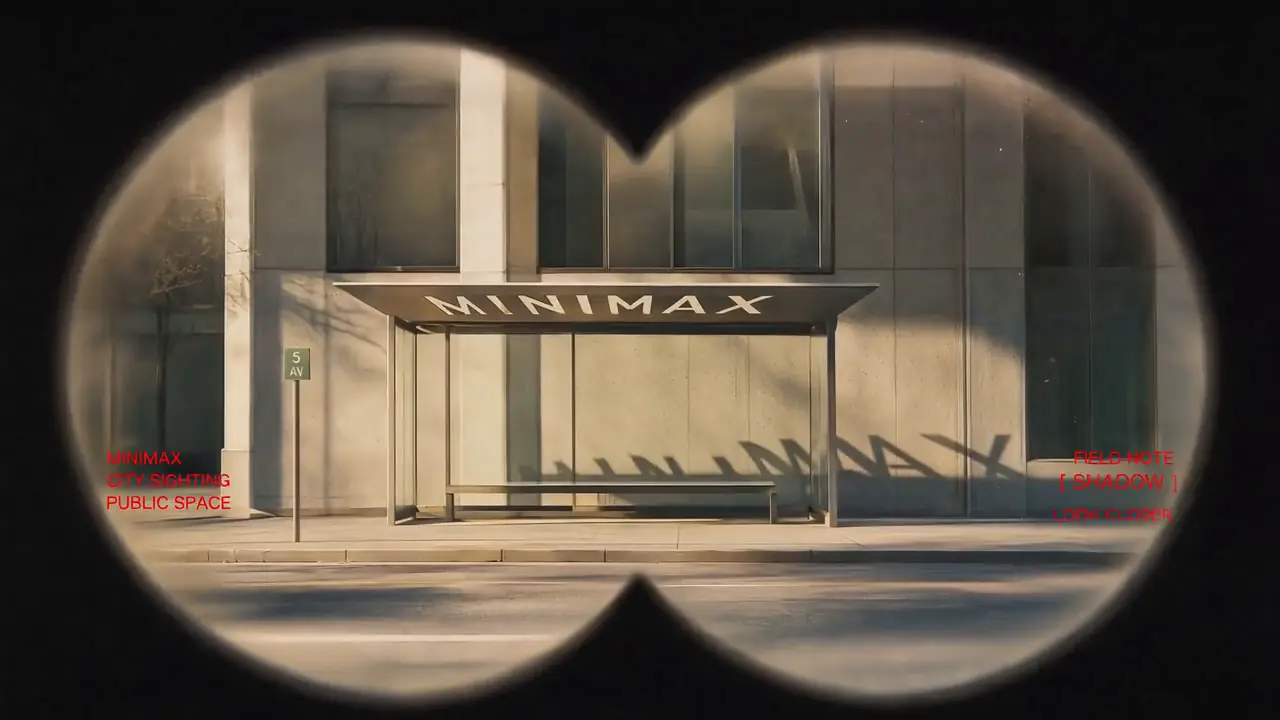
“Use Images 1–4 as sequential keyframes, seen through a vintage binocular viewfinder searching for the MINIMAX installation. Open out of focus with subtle handheld shake, then push in quickly and rack focus onto Image 1. Between keyframes, use fast binocular-scan transitions with whip movement, motion blur, optical smearing, and brief exposure flicker. Cut at peak blur, then settle and snap back into focus. Keep the twin circular lens mask absolutely fixed throughout: identical position, scale, feathered black vignette, and edge softness, with no warping or drift. Only the image inside the mask may move. In Image 2, let the fabric move gently in the wind while the MINIMAX lettering follows the folds and remains legible. In Image 3, the subject should feel like a stylish passerby caught by chance, walking, turning, and swinging their arms naturally. In Image 4, the subject adjusts their glasses or lifts their chin slightly with a cool, effortless fashion-campaign attitude. Red typography should resolve with the focus: begin slightly blurred and at low opacity, then fade into clarity over 0.3–0.5 seconds. A subtle vertical slide or slight tracking expansion is allowed. Fade it out before the next transition or let motion blur carry it away. No spins, bounces, or large fly-ins/outs. Visual language: a voyeuristic, Wes Anderson-inspired 35 mm film look with fine grain, soft highlight halation, restrained color, and red typographic accents. Minimal, premium, lightly playful. Do not add people, vehicles, buildings, or logos. Preserve the core composition and the MINIMAX installation exactly. PRODUCTION CONTROL MODE: Reference to Video. Assign Images 1–4 only as sequential visual anchors. TIMELINE: 0–3s search and rack focus; 3–10s two fast scan transitions; 10–15s settle on the final mark. CONTINUITY LOCKS: the twin circular mask, vignette softness and installation lettering never change geometry. CAMERA: handheld micro-shake inside the mask only; cut at peak motion blur. AUDIO: wind, cloth movement and two short optical whooshes; restrained low pulse, no dominant score. END FRAME: hold the final mark sharp for one second. AVOID: mask drift, melted text, cross-dissolves and extra subjects.”

View full prompt

Use Images 1–4 as sequential keyframes, seen through a vintage binocular viewfinder searching for the MINIMAX installation. Open out of focus with subtle handheld shake, then push in quickly and rack focus onto Image 1. Between keyframes, use fast binocular-scan transitions with whip movement, motion blur, optical smearing, and brief exposure flicker. Cut at peak blur, then settle and snap back into focus. Keep the twin circular lens mask absolutely fixed throughout: identical position, scale, feathered black vignette, and edge softness, with no warping or drift. Only the image inside the mask may move. In Image 2, let the fabric move gently in the wind while the MINIMAX lettering follows the folds and remains legible. In Image 3, the subject should feel like a stylish passerby caught by chance, walking, turning, and swinging their arms naturally. In Image 4, the subject adjusts their glasses or lifts their chin slightly with a cool, effortless fashion-campaign attitude. Red typography should resolve with the focus: begin slightly blurred and at low opacity, then fade into clarity over 0.3–0.5 seconds. A subtle vertical slide or slight tracking expansion is allowed. Fade it out before the next transition or let motion blur carry it away. No spins, bounces, or large fly-ins/outs. Visual language: a voyeuristic, Wes Anderson-inspired 35 mm film look with fine grain, soft highlight halation, restrained color, and red typographic accents. Minimal, premium, lightly playful. Do not add people, vehicles, buildings, or logos. Preserve the core composition and the MINIMAX installation exactly. PRODUCTION CONTROL MODE: Reference to Video. Assign Images 1–4 only as sequential visual anchors. TIMELINE: 0–3s search and rack focus; 3–10s two fast scan transitions; 10–15s settle on the final mark. CONTINUITY LOCKS: the twin circular mask, vignette softness and installation lettering never change geometry. CAMERA: handheld micro-shake inside the mask only; cut at peak motion blur. AUDIO: wind, cloth movement and two short optical whooshes; restrained low pulse, no dominant score. END FRAME: hold the final mark sharp for one second. AVOID: mask drift, melted text, cross-dissolves and extra subjects.
Epic Space Opera Teaser AI video previewCinematic

Epic Space Opera Teaser

Cinematic
Model
MiniMax H3
Duration
15 seconds
Resolution
768p
Est. cost
90 credits

“Epic theatrical space-opera teaser Keep the pace fast and the scale enormous without letting the edit drag. Use sharp hard cuts, a shaking command deck, white-hot flashes, split-second black frames, and a violent jump-to-warp impact. Title cards should use wide-tracked cinematic typography—not pure white—with restrained material texture, subtle illumination, and a faint edge glow. Animate the titles by emerging from deep-space shadow, catching a sweep of starlight, opening their letter spacing, leaving a slight afterimage, and flashing briefly against black. PRODUCTION CONTROL MODE: First & Last Frame. SHOT BUDGET: maximum four shots. TIMELINE: 0–3s command-deck disturbance; 3–7s gateway reveal; 7–11s jump-to-warp impact; 11–15s title on black. CAMERA: one primary movement per shot. TEXT LOCK: exact title copy, centered, wide-tracked, fully readable for at least 24 frames. AUDIO: sub-bass rise, one metallic impact at the warp cut, then a short vacuum drop. AVOID: extra title cards, soft dissolves, pure-white typography and constant camera shake.”

View full prompt

Epic theatrical space-opera teaser Keep the pace fast and the scale enormous without letting the edit drag. Use sharp hard cuts, a shaking command deck, white-hot flashes, split-second black frames, and a violent jump-to-warp impact. Title cards should use wide-tracked cinematic typography—not pure white—with restrained material texture, subtle illumination, and a faint edge glow. Animate the titles by emerging from deep-space shadow, catching a sweep of starlight, opening their letter spacing, leaving a slight afterimage, and flashing briefly against black. PRODUCTION CONTROL MODE: First & Last Frame. SHOT BUDGET: maximum four shots. TIMELINE: 0–3s command-deck disturbance; 3–7s gateway reveal; 7–11s jump-to-warp impact; 11–15s title on black. CAMERA: one primary movement per shot. TEXT LOCK: exact title copy, centered, wide-tracked, fully readable for at least 24 frames. AUDIO: sub-bass rise, one metallic impact at the warp cut, then a short vacuum drop. AVOID: extra title cards, soft dissolves, pure-white typography and constant camera shake.

Desert Fashion Campaign AI video previewFashion

Desert Fashion Campaign

Fashion
Model
MiniMax H3
Duration
15 seconds
Resolution
768p
Est. cost
90 credits

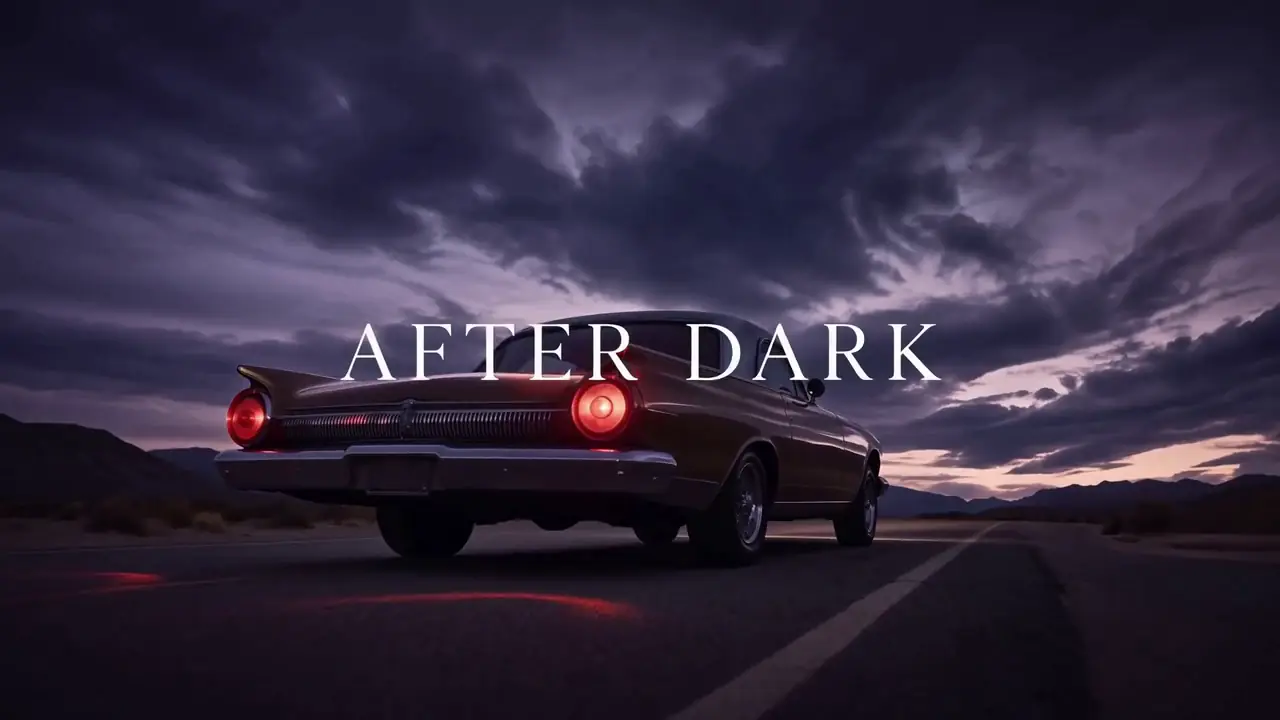
“Create a premium 16:9 landscape fashion film. Use Image 1 for the overall mood, location, and film texture; Image 2 for the talent; Image 3 for the bag; and Image 4 for the closing brand mark. This is a fashion campaign for the clothing and bag. The tone is elevated, cool, and restrained, but the edit should still feel lively and fashion-forward—not like a conventional narrative film or an e-commerce ad. Keep the story simple: beside a vintage car on a desert highway, a woman walks to the rear of the car, opens the trunk, takes out a black bag, shares a quiet beat with the man standing nearby, then leaves carrying the bag. Integrate the clothing and bag naturally into the performance so they feel like part of the characters’ identity. PRODUCTION CONTROL MODE: Reference to Video. Image 1 controls desert location and film texture; Image 2 the woman; Image 3 the black bag; Image 4 the closing mark. ACTION ORDER: approach trunk → open trunk → lift bag by its handle → brief eye contact → walk away. CAMERA: three restrained editorial setups, never more than one move per setup. PRODUCT LOCK: preserve bag silhouette, material, hardware and color. AUDIO: desert wind, trunk latch, footsteps on gravel; minimal music. END FRAME: clean brand mark after the walk-away. AVOID: extra products, wardrobe swaps and e-commerce turntable shots.”

View full prompt

Create a premium 16:9 landscape fashion film. Use Image 1 for the overall mood, location, and film texture; Image 2 for the talent; Image 3 for the bag; and Image 4 for the closing brand mark. This is a fashion campaign for the clothing and bag. The tone is elevated, cool, and restrained, but the edit should still feel lively and fashion-forward—not like a conventional narrative film or an e-commerce ad. Keep the story simple: beside a vintage car on a desert highway, a woman walks to the rear of the car, opens the trunk, takes out a black bag, shares a quiet beat with the man standing nearby, then leaves carrying the bag. Integrate the clothing and bag naturally into the performance so they feel like part of the characters’ identity. PRODUCTION CONTROL MODE: Reference to Video. Image 1 controls desert location and film texture; Image 2 the woman; Image 3 the black bag; Image 4 the closing mark. ACTION ORDER: approach trunk → open trunk → lift bag by its handle → brief eye contact → walk away. CAMERA: three restrained editorial setups, never more than one move per setup. PRODUCT LOCK: preserve bag silhouette, material, hardware and color. AUDIO: desert wind, trunk latch, footsteps on gravel; minimal music. END FRAME: clean brand mark after the walk-away. AVOID: extra products, wardrobe swaps and e-commerce turntable shots.

Cyber-Grunge Fashion Film AI video previewCinematic

Cyber-Grunge Fashion Film

Cinematic
Model
MiniMax H3
Duration
15 seconds
Resolution
768p
Est. cost
90 credits

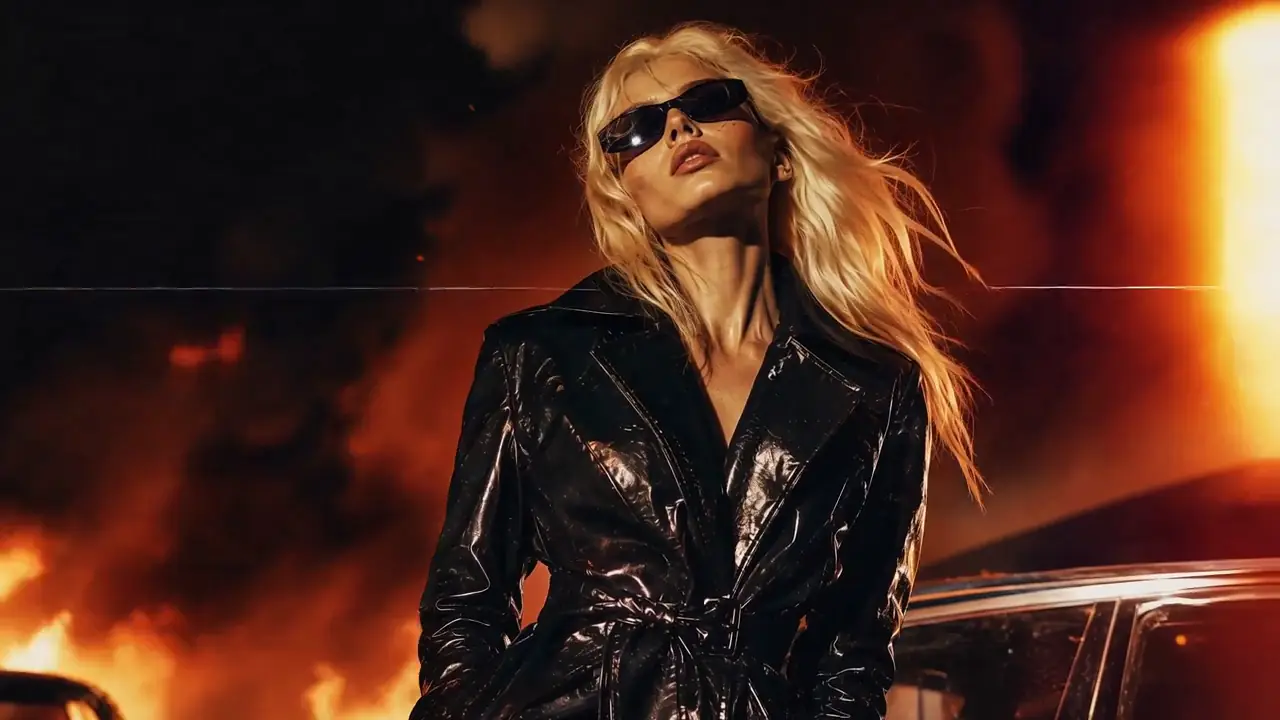
“Use Image 1 as the reference for texture and mood, and Image 2 for the subject’s appearance. Generate a 15-second, 16:9 fashion short. Preserve the subject’s identity: long platinum-blonde hair, narrow black vintage sunglasses, a glossy black patent-leather trench coat, a cool, self-assured expression, and orange firelight reflected across the coat. Style: fast-cut fashion film on analog stock, set against a nighttime blaze with black smoke and orange-red flames. Layer in VHS glitches, CCTV signal interruptions, 1990s film grain, scanlines, chromatic aberration, light leaks, flash-to-white transitions, and subtle frame jitter. PRODUCTION CONTROL MODE: Reference to Video. Image 1 controls texture and fire-lit mood; Image 2 controls identity, hair, sunglasses and coat. TIMELINE: 0–4s close-up identity lock; 4–10s two fashion poses with hard cuts; 10–15s walking hero shot. EFFECT RULE: glitches may affect signal and background, not facial geometry or garment construction. CAMERA: handheld 35mm language with two deliberate flash cuts. AUDIO: fire crackle, low industrial beat and one tape-stop accent. AVOID: face replacement, coat color changes, continuous glitch overlays and unreadable silhouettes.”

View full prompt

Use Image 1 as the reference for texture and mood, and Image 2 for the subject’s appearance. Generate a 15-second, 16:9 fashion short. Preserve the subject’s identity: long platinum-blonde hair, narrow black vintage sunglasses, a glossy black patent-leather trench coat, a cool, self-assured expression, and orange firelight reflected across the coat. Style: fast-cut fashion film on analog stock, set against a nighttime blaze with black smoke and orange-red flames. Layer in VHS glitches, CCTV signal interruptions, 1990s film grain, scanlines, chromatic aberration, light leaks, flash-to-white transitions, and subtle frame jitter. PRODUCTION CONTROL MODE: Reference to Video. Image 1 controls texture and fire-lit mood; Image 2 controls identity, hair, sunglasses and coat. TIMELINE: 0–4s close-up identity lock; 4–10s two fashion poses with hard cuts; 10–15s walking hero shot. EFFECT RULE: glitches may affect signal and background, not facial geometry or garment construction. CAMERA: handheld 35mm language with two deliberate flash cuts. AUDIO: fire crackle, low industrial beat and one tape-stop accent. AVOID: face replacement, coat color changes, continuous glitch overlays and unreadable silhouettes.

Retro Anime Crime Title Sequence AI video previewCinematic

Retro Anime Crime Title Sequence

Cinematic
Model
MiniMax H3
Duration
15 seconds
Resolution
768p
Est. cost
90 credits

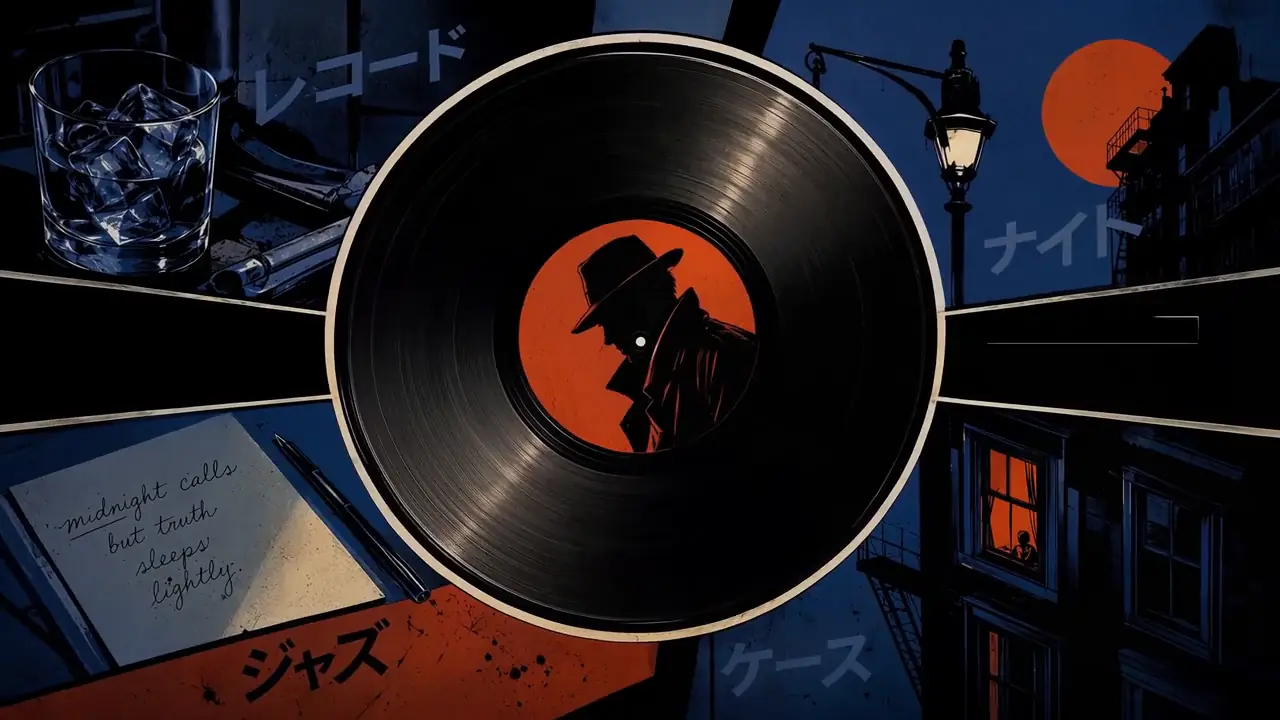
“Create a 15-second, 16:9 opening-title sequence for a stylish crime mystery. Draw from retro Japanese animation titles, hard-edged silhouettes, comic-book collage, asymmetric split screens, bold geometric color fields, English credit typography, sparse katakana accents, and a noir-jazz sensibility. Aim for 60% suspense and 40% jazz: mysterious, cool, agile, and urban—never horror, heavy drama, or a cheerful jazz music video. Build the sequence as motion-graphics collage: linework appears over black, split-screen boundaries snap into place, then color blocks and frames assemble piece by piece. Character silhouettes, prop close-ups, and English credits slide, pop, and reveal through masks on the beat. Keep it designed and graphic, not like conventional narrative animation. Credits must be clean and legible. Animate thin frames drawing on, names sliding in, letters appearing one at a time, or color blocks revealing type, then hold briefly. Do not introduce Chinese text, garbled characters, or misspellings. Each role and each name appears once only; do not assign multiple roles to the same name. Vary the transitions: circular vinyl-record wipes, vertical car-door cuts, long character shadows wiping frame, red-line slices, oversized letter masks, split-screen reconfigurations, hard color-block cuts, and tiled frames snapping into place. Keep every transition crisp, rhythmic, suspenseful, and collage-driven. No soft dissolves or fluid morphs. BGM: an original 15-second title cue, 60% suspense and 40% jazz. Use a low drone, tense string pizzicato, cool synth pulses, low kick, sparse brushwork, fragments of walking bass, short baritone-sax phrases, and clipped brass accents. Build suspense with low frequencies and hi-hat in the first 2 seconds; bring in the low beat at 3 seconds, jazz-bass movement at 6 seconds, and a short sax/brass riff at 10 seconds. Freeze the final 2 seconds on a tense chord and drum hit. Keep it mysterious and criminally cool, never upbeat, and do not imitate an existing melody. PRODUCTION CONTROL MODE: Reference to Video. Images 1–5 define graphic language, character silhouettes, palette and credit layout; do not combine identities across references. SHOT PLAN: black-and-white linework → geometric split-screen assembly → prop close-ups → final ensemble title. TYPOGRAPHY LOCK: exact English credit strings supplied in the prompt, one credit per card, minimum one-second hold. MOTION: masks, slides and snap cuts on beat; no fluid morphing. AUDIO: brushed drums, upright bass and clipped brass accents. AVOID: narrative lip sync, 3D rendering, horror imagery and decorative fake text.”

View full prompt

Create a 15-second, 16:9 opening-title sequence for a stylish crime mystery. Draw from retro Japanese animation titles, hard-edged silhouettes, comic-book collage, asymmetric split screens, bold geometric color fields, English credit typography, sparse katakana accents, and a noir-jazz sensibility. Aim for 60% suspense and 40% jazz: mysterious, cool, agile, and urban—never horror, heavy drama, or a cheerful jazz music video. Build the sequence as motion-graphics collage: linework appears over black, split-screen boundaries snap into place, then color blocks and frames assemble piece by piece. Character silhouettes, prop close-ups, and English credits slide, pop, and reveal through masks on the beat. Keep it designed and graphic, not like conventional narrative animation. Credits must be clean and legible. Animate thin frames drawing on, names sliding in, letters appearing one at a time, or color blocks revealing type, then hold briefly. Do not introduce Chinese text, garbled characters, or misspellings. Each role and each name appears once only; do not assign multiple roles to the same name. Vary the transitions: circular vinyl-record wipes, vertical car-door cuts, long character shadows wiping frame, red-line slices, oversized letter masks, split-screen reconfigurations, hard color-block cuts, and tiled frames snapping into place. Keep every transition crisp, rhythmic, suspenseful, and collage-driven. No soft dissolves or fluid morphs. BGM: an original 15-second title cue, 60% suspense and 40% jazz. Use a low drone, tense string pizzicato, cool synth pulses, low kick, sparse brushwork, fragments of walking bass, short baritone-sax phrases, and clipped brass accents. Build suspense with low frequencies and hi-hat in the first 2 seconds; bring in the low beat at 3 seconds, jazz-bass movement at 6 seconds, and a short sax/brass riff at 10 seconds. Freeze the final 2 seconds on a tense chord and drum hit. Keep it mysterious and criminally cool, never upbeat, and do not imitate an existing melody. PRODUCTION CONTROL MODE: Reference to Video. Images 1–5 define graphic language, character silhouettes, palette and credit layout; do not combine identities across references. SHOT PLAN: black-and-white linework → geometric split-screen assembly → prop close-ups → final ensemble title. TYPOGRAPHY LOCK: exact English credit strings supplied in the prompt, one credit per card, minimum one-second hold. MOTION: masks, slides and snap cuts on beat; no fluid morphing. AUDIO: brushed drums, upright bass and clipped brass accents. AVOID: narrative lip sync, 3D rendering, horror imagery and decorative fake text.

Hand-Drawn Kitchen Creature AI video previewCinematic

Hand-Drawn Kitchen Creature

Cinematic
Model
MiniMax H3
Duration
15 seconds
Resolution
768p
Est. cost
90 credits

“15 seconds, 16:9 landscape. Blend live-action footage of a small kitchen at dusk with hand-drawn luminous animation. The last sunset light lingers at the window. The lived-in kitchen contains an old wooden table, a half-washed mug, a lightly fogged glass bottle, and a hanging dish towel. Shoot as if someone is filming one-handed on a phone: subtle hand tremor, hesitant close-focus pulls, backlit exposure breathing, and slightly coarse noise in the shadows. It should feel like an astonishing event captured in a rush at home, not a carefully dressed commercial. Do not show giant eyes, split mouths, fangs, threatening behavior, lunges, sudden black frames, or jump scares. Use only room tone, cloth friction, a soft mug clink, faucet drips, the camera operator’s footsteps and quiet breathing, plus gentle electronic tones and tiny vocalizations from the drawn creatures. PRODUCTION CONTROL MODE: Text to Video. TIMELINE: 0–4s hesitant kitchen discovery; 4–9s luminous creature crosses the table; 9–13s it reacts to a mug clink; 13–15s operator steadies the phone. CAMERA: one-handed phone, delayed autofocus and exposure breathing. SOUND: room tone, faucet drip, cloth friction, mug clink, footsteps and breathing; only tiny electronic creature tones, no score. CONTINUITY: kitchen layout and sunset direction remain stable. AVOID: giant eyes, fangs, lunges, jump cuts to black and studio lighting.”

View full prompt

15 seconds, 16:9 landscape. Blend live-action footage of a small kitchen at dusk with hand-drawn luminous animation. The last sunset light lingers at the window. The lived-in kitchen contains an old wooden table, a half-washed mug, a lightly fogged glass bottle, and a hanging dish towel. Shoot as if someone is filming one-handed on a phone: subtle hand tremor, hesitant close-focus pulls, backlit exposure breathing, and slightly coarse noise in the shadows. It should feel like an astonishing event captured in a rush at home, not a carefully dressed commercial. Do not show giant eyes, split mouths, fangs, threatening behavior, lunges, sudden black frames, or jump scares. Use only room tone, cloth friction, a soft mug clink, faucet drips, the camera operator’s footsteps and quiet breathing, plus gentle electronic tones and tiny vocalizations from the drawn creatures. PRODUCTION CONTROL MODE: Text to Video. TIMELINE: 0–4s hesitant kitchen discovery; 4–9s luminous creature crosses the table; 9–13s it reacts to a mug clink; 13–15s operator steadies the phone. CAMERA: one-handed phone, delayed autofocus and exposure breathing. SOUND: room tone, faucet drip, cloth friction, mug clink, footsteps and breathing; only tiny electronic creature tones, no score. CONTINUITY: kitchen layout and sunset direction remain stable. AVOID: giant eyes, fangs, lunges, jump cuts to black and studio lighting.

Comparison Tip

Compare models by accepted-output cost, not request price alone.

Accepted-output cost = total generation spend ÷ accepted outputs.

Continue Comparing Models

Decision engine

Which MiniMax H3 Alternative Should You Choose?

01

Need more than 15 seconds?

Start with Seedance 2.5 or the current Wan 3.0 hosted workflow.

Both provide documented paths beyond H3’s 15-second maximum. Seedance emphasizes a creator-facing reference workflow; Wan 3.0 is an Alibaba Cloud API route. Choose by access and input requirements, not duration alone.

02

Need Google API integration?

Start with Veo 3.1.

Google exposes Standard, Fast and Lite price/performance tiers through the Gemini API. That makes Veo practical when authentication, billing, observability and the rest of the application already live in Google infrastructure.

03

Need a mature creative production suite?

Evaluate Runway Gen-4.5.

Runway’s advantage is not one isolated specification. Its value is generation, iteration and editing inside the surrounding Runway workspace. Compare workflow time as well as generation price.

04

Need native multimodal generation and editing?

Evaluate Kling 3.0.

Kling Video 3.0 combines text, image, audio and video workflows across generation and editing. Confirm the precise 3.0 variant and plan before treating a family-level capability as universal.

05

Need local or on-prem control?

Compare LTX-2.5, open Wan2.2 and local MiniMax H3.

Do not leave H3 only because you want downloadable weights: H3-Base has an official local route. Compare license, memory, pipeline completeness, audio and operations on the hardware you will actually run.

06

Need professional HDR or EXR?

Evaluate Luma’s Ray workflow.

Ray3.2 is the current web model, while Ray3.2 remains the documented API route for keyframes, HDR/EXR and longer modify workflows. Keep those product surfaces separate in procurement and testing.

07

Need Adobe integration?

Evaluate Adobe Firefly Video.

Its strongest differentiation is production inside Adobe’s environment. Do not transfer specifications from partner models available in Firefly to Adobe’s own Firefly Video Model.

08

Need inexpensive short multimodal generation?

Check H3 first.

MiniMax’s published hosted H3 API price is low enough that switching on price requires a same-resolution, same-duration comparison. Include retry rate and accepted output, not subscription headlines.

Check Your H3 Cost First

19-field evidence table

MiniMax H3 vs the Best Alternatives at a Glance

ModelProviderCurrent versionAccess routeMax verified durationPublished output resolutionNative audioImage referenceVideo referenceAudio referenceFirst-frame controlLast-frame controlAPIDownloadable weightsLocal deploymentEditing workflowPublished pricing modelEvidence gradeLast verified
MiniMax H3MiniMaxMiniMax-H3 / H3-BaseMiniMax hosted API; downloadable H3-Base weightsUp to 15s768P / 2K hosted workflowYesYesYesYesYesYesYesYesYesText, image, video and audio context; first/last-frame control; hosted Context-IR and regeneration are distinct from the base checkpoint.0.08 — USD per output second (768P hosted API)A12026-09-05
Seedance 2.5ByteDance / DreaminaSeedance 2.5Dreamina creator product and BytePlus LAS hosted APIUp to 30s480P / 720P (BytePlus API)YesYesYesYesYesYesYesNoNoUp to 30 images, 10 video clips and 10 audio clips; BytePlus supports first/last frames, combined references, editing and 4–30 second output.0.303 — BytePlus LAS enhanced base USD/sec before resolution factorA12026-09-05
Wan 3.0 hosted + open Wan ecosystemAlibaba Cloud / Wanwan3.0-video-prime; Wan2.2 open ecosystemAlibaba Cloud Model Studio API; separate Wan2.2 local weightsUp to 30s480P / 720P / 1080PYesYesYesYesYesYesYesNot clearly documentedNot clearly documentedHosted Wan 3.0 accepts text, image, video and audio context; the downloadable Wan2.2 ecosystem is a different version and deployment decision.Not normalized across hosted and open routesA12026-09-05
Kling Video 3.0 / OmniKuaishouKling Video 3.0 seriesKling AI creator product; public API status not clearly documentedUp to 15sNot clearly documented in the cited releaseYesYesYesYesNot clearly documentedNot clearly documentedNot clearly documentedNoNoText, image, video and audio inputs across generation, reference-to-video and in-video editing in the 3.0 family.Not publicly verifiedA42026-09-05
Google Veo 3.1GoogleVeo 3.1 Standard, Fast and Lite previewGemini APIUp to 8s720P / 1080P / 4K (supported variants)YesYesYesNot clearly documentedYesYesYesNoNoAPI generation with variant-dependent first/last frame, reference and extension controls; 4K is not available on every tier.0.4 — USD per output second (Standard 720P/1080P)A12026-09-05
Runway Gen-4.5RunwayGen-4.5Runway web creative workspaceUp to 10s720P base generationNoYesNot clearly documentedNoYesNot clearly documentedNot clearly documentedNoNoText-to-video and image-to-video inside Runway’s wider generation, iteration and editing workspace.12 — Runway credits per output secondA12026-09-05
LTX-2.5LightricksLTX-2.5 Fast / ProLTX API, official checkpoints and local pipelinesNot clearly documented720P / 1080P / 1440P Fast / 4K FastYesYesNot clearly documentedYesYesYesYesYesYesText-, image- and audio-to-video APIs plus official checkpoints, local Python pipelines and ComfyUI-oriented workflows.0.09 — USD per output second (Fast 720P)A12026-09-05
Luma Ray3.2Luma AIRay3.2Luma creative platform and APIUp to 20s540P / 720P / 1080PNoYesYesNoYesYesYesNoNoProduction-oriented transformation, keyframe and direction workflows; capabilities can vary by Luma product surface.0.3 — USD per 5-second Ray3.2 720P clipA12026-09-05
Adobe Firefly VideoAdobeFirefly Video ModelAdobe Firefly applications and Firefly Services APIUp to 5s540P / 720P / 1080PNot clearly documentedYesYesNot clearly documentedYesYesYesNoNoText-to-video, keyframe-guided generation and composition-reference video in Adobe’s creative environment; output is documented at 24 FPS.Not normalized; plan and enterprise API route varyA12026-09-05

“Not clearly documented” means the cited official material did not establish the field. It is not silently converted to “No.”

Resolution means provider-published output for the named route. Upscaling, regeneration and export settings are not treated as native output.

Consumer product features are not presented as developer API features unless the provider documents the API route.

Wan hosted and open versions, and Luma web and API versions, remain explicitly separated.

Claim provenance

Evidence Grades

A1

Official technical/API docs

A2

Official repository or model card

A3

Official product page

A4

Official provider announcement

The broader editorial hierarchy also recognizes B for a MiniMax3.org reproducible first-party test, C for a community report and D for a third-party comparison. None are used to overwrite official specifications. This page currently publishes no B-grade matched output result because no reproducible same-brief test across all named versions was available.

Eight current candidates

The Alternatives, Model by Model

A1Verified 2026-09-05

1. Seedance 2.5 — Best for Longer Reference-Driven Storytelling

Seedance 2.5 is one of the closest workflow-level MiniMax H3 alternatives when the limiting factor is scene length or the amount of creative reference material. ByteDance documents scenes up to 30 seconds and up to 30 images, 10 videos and 10 audio clips. The official BytePlus API now exposes dreamina-seedance-2-5-260628 at 480P or 720P, 24 FPS and 4–30 seconds. Dreamina product capabilities and BytePlus API specifications remain separate. No controlled test on this page establishes that Seedance is visually superior.

Choose it if

  • A single scene must exceed 15 seconds
  • Many image, video or audio references shape the brief
  • Dreamina’s creator product fits the team
  • Reference-led iteration matters more than local deployment

Stay with H3 if

  • Fifteen seconds or less is enough
  • A documented hosted API price is required
  • Downloadable weights matter
  • H3’s first/last-frame controls already fit the job

BytePlus enhanced video generation documentation

Read the full MiniMax H3 vs Seedance 2.5 comparison →

A1Verified 2026-09-05

2. Wan 3.0 Hosted + Open Wan — Best for Route Flexibility

Wan is two decisions, not one. Alibaba Cloud’s current hosted flagship is wan3.0-video-prime, a Model Studio API workflow documented for 480P, 720P and 1080P output, up to 30 seconds at 30 FPS, multimodal context, first/last-frame control and native sound. The current downloadable Wan ecosystem is represented by separate Wan2.2 checkpoints. This page therefore does not claim that wan3.0-video-prime weights are downloadable. Choose hosted Wan 3.0 for Alibaba’s long multimodal API route; evaluate Wan2.2 separately when the goal is open/local infrastructure. Benchmarking one does not prove the other’s output.

Choose it if

  • A hosted clip may need up to 30 seconds
  • Alibaba Cloud is an acceptable API ecosystem
  • Multimodal references and audio matter
  • You understand the hosted/open version split

Stay with H3 if

  • You want one model version across hosted and local
  • H3’s shorter API workflow is cheaper or simpler
  • H3-Base already meets local needs
  • The team cannot validate a separate open Wan pipeline

Alibaba Cloud Model Studio Wan 3.0 documentation

A4Verified 2026-09-05

3. Kling 3.0 — Best for Broad Multimodal Production

Kling Video 3.0 and 3.0 Omni are compelling when the desired replacement is a broad audiovisual production environment rather than one endpoint. Kuaishou’s release describes text, image, audio and video input, native multilingual audio, reference-to-video and in-video editing across the family, with clips up to 15 seconds. That is a strong workflow match for teams moving between generation and revision. We do not publish a 4K claim because the cited official release does not establish 4K video output, and we do not equate the product family with a verified public API.

Choose it if

  • Generation and editing should share one product family
  • Native multilingual audio matters
  • Text, image, video and audio references all matter
  • A creator-facing workflow is acceptable

Stay with H3 if

  • You need published per-second API economics
  • You need downloadable model weights
  • H3’s 2K hosted path is already sufficient
  • The migration would not improve an approval metric

Kuaishou Kling AI 3.0 release

A1Verified 2026-09-05

4. Veo 3.1 — Best for Google API Workflows

Veo 3.1 is the clearest alternative for a product already built around Gemini. Its value is the combination of native audio, supported 720P, 1080P and 4K routes, and three explicit price/performance families. Lite begins at $0.05 per generated second at 720P, Fast at $0.10 and Standard at $0.40; not every variant supports every resolution or reference feature. The maximum documented generation is eight seconds, so Veo is not the answer to every duration constraint. It is the answer when Google integration, resolution tiers and a formal API surface outweigh H3’s longer maximum and lower Standard-tier price.

Choose it if

  • The application already uses Gemini
  • You need a documented 4K-capable API variant
  • Tiered latency/quality economics matter
  • Native audiovisual output is required

Stay with H3 if

  • You need 9–15 second single-pass output
  • H3 references are already integrated
  • Downloadable weights are required
  • Veo Standard would exceed the budget

Google Gemini API Veo documentation

A1Verified 2026-09-05

5. Runway Gen-4.5 — Best for a Creative Production Suite

Runway Gen-4.5 is best evaluated as part of Runway, not as a row of model specifications. The official guide documents text-to-video and image-to-video clips from two to ten seconds, 720P base output and a charge of 12 Runway credits per generated second. The surrounding workspace can reduce handoffs between ideation, generation and editing, which may matter more than nominal output cost. Credits are intentionally not converted to dollars here because their effective value depends on the plan and purchase route. Native audio is not a documented Gen-4.5 base capability in the cited creation guide.

Choose it if

  • Generation must live inside a broader creative workspace
  • Editors benefit from Runway’s iteration tools
  • Two-to-ten-second shots fit the brief
  • Credit-based budgeting already exists

Stay with H3 if

  • Native stereo generation is required
  • A 2K hosted H3 workflow matters
  • Local weights are required
  • A direct per-second USD comparison is essential

Runway Gen-4.5 creation guide

A1Verified 2026-09-05

6. LTX-2.5 — Best for Local and Infrastructure-Controlled Video

LTX-2.5 replaces LTX-2.3 in this guide because Lightricks released the newer official model on August 11, 2026. It offers API models, official checkpoints and local pipelines, synchronized audiovisual generation, first/last-frame controls and Fast output up to 4K. The 720P Fast API price is $0.09 per second and Pro is $0.12. Local deployment is not automatically cheap: GPU acquisition, memory, engineering, queueing and maintenance must be counted. The custom LTX-2.x license also requires a paid license for commercial entities at or above the stated $10 million annual-revenue threshold, so legal fit belongs in the benchmark.

Choose it if

  • Weights and infrastructure control are mandatory
  • API and local routes should share one ecosystem
  • Audio-synchronized generation matters
  • The team can operate a GPU pipeline

Stay with H3 if

  • H3-Base already meets local requirements
  • The custom license is a poor organizational fit
  • Hosted H3 needs less operational work
  • The complete H3 reference workflow is already integrated

LTX API documentation

A1Verified 2026-09-05

7. Luma Ray3.2 — Best for HDR and Frame Direction

Luma requires a version-aware comparison. Ray3.2 is the current Dream Machine web model, while Ray3.2 remains the official API route documented for frame-level keyframes, HDR generation, EXR delivery and video-to-video workflows up to 20 seconds. A five-second 720P Ray3.2 API generation is listed at $0.30 and 1080P at $1.20; ten seconds is $0.90 and $3.60 respectively. This makes Luma especially relevant to professional finishing and shot control. It does not make native audio available, and it does not mean every Ray3.2 API capability exists in Ray3.2 web generation.

Choose it if

  • HDR or EXR delivery is part of the brief
  • Keyframe-level direction matters
  • Video modification may run beyond 15 seconds
  • Professional output control outweighs native audio

Stay with H3 if

  • Native stereo generation is required
  • One unified web/API version is important
  • H3’s multimodal references fit better
  • H3’s published 768P price wins the approved-output test

Luma Ray field guide and API pricing

A1Verified 2026-09-05

8. Adobe Firefly Video — Best for Adobe-Centered Teams

Adobe Firefly Video is the natural first alternative when production already happens in Adobe tools. Adobe documents 540P, 720P and 1080P generation at 24 FPS, a five-second default duration, first/last keyframes and composition-reference video. Firefly Services also exposes a Generate Video API, but enterprise/API economics and consumer-plan economics should not be collapsed into one price. Likewise, partner models available inside Firefly are not Adobe Firefly Video specifications. The strongest case is reduced workflow friction for an Adobe team, not a claim that the base model wins every isolated fidelity or duration comparison.

Choose it if

  • The team already works in Adobe
  • Composition reference is central
  • Five-second 24 FPS shots are sufficient
  • Creative-suite governance matters

Stay with H3 if

  • Up to 15 seconds is needed
  • Native audio is a hard requirement
  • Downloadable weights matter
  • H3 already avoids an Adobe-specific migration

Adobe Firefly Video documentation

Normalize before comparing

What Does a 10-Second AI Video Actually Cost?

Published prices are only a baseline. The table below uses a ten-second output or a ten-second rate equivalent where the model cannot produce ten seconds in one request. It does not pretend that a credit has a universal dollar value, or that different resolutions are quality-equivalent.

RouteResolutionPublished rate10-second baselineImportant limit
MiniMax H3 hosted768P$0.08/sec$0.80Direct 10-second request supported
MiniMax H3 hosted2K$0.13/sec$1.30Hosted workflow, not base-checkpoint proof
Veo 3.1 Lite720P$0.05/sec$0.50 rate equivalentMaximum request is 8 seconds
Veo 3.1 Fast1080P$0.12/sec$1.20 rate equivalentMaximum request is 8 seconds
Veo 3.1 Standard1080P$0.40/sec$4.00 rate equivalentMaximum request is 8 seconds
LTX-2.5 Fast720P$0.09/sec$0.90API route
LTX-2.5 Fast1080P$0.13/sec$1.30API route
LTX-2.5 Fast4K$0.30/sec$3.00Fast variant
Luma Ray3.2 API720PPublished clip price$0.90Provider lists a 10-second price
Luma Ray3.2 API1080PPublished clip price$3.60Provider lists a 10-second price
Runway Gen-4.5720P12 credits/sec120 Runway creditsNo USD conversion without a plan
Adobe Firefly VideoUp to 1080PNot normalizedNot comparableFive-second documented default

Nominal generation cost

Published rate × output duration, at the specified resolution and route.

Effective approved-second cost

(Generation spend + infrastructure + review labor) ÷ approved usable seconds.

Retry-adjusted comparison

Record every attempt. A cheaper rate can lose if it needs more retries to create one accepted shot.

Compare Cost With Your Own Shot

Set the duration and resolution you actually need and compare the H3 credit estimate before deciding whether another provider is really cheaper.

Estimate My H3 Generation

No synthetic leaderboard

First-Party Test Status and Matched Protocol

Current status

Not tested

No reproducible, same-brief MiniMax3.org benchmark across these exact current versions is published. Marketing samples and community posts are not substituted for matched evidence.

Reusable same-brief protocol

  1. 1Freeze one prompt and the same permissible reference assets.
  2. 2Use the same target duration, aspect ratio and nearest native resolution.
  3. 3Record model, exact version, route, settings, date and all attempts.
  4. 4Do not cherry-pick: retain failures and rejected outputs in the run log.
  5. 5Score blind for prompt adherence, temporal consistency, audio, reference fidelity and delivery fitness.
  6. 6Calculate total spend and review time per approved usable second.

Shortlist by work

Best Alternative by Use Case

Production needEvaluate firstKeep H3 in test?
Longer narrative sceneSeedance 2.5 or Wan 3.0Yes—use the same 15-second excerpt
Google-native applicationVeo 3.1Yes—compare API cost and references
Creative production suiteRunway Gen-4.5Yes—measure workflow time
Broad multimodal editingKling 3.0Yes—compare the exact reference task
Local/on-prem pipelineLTX-2.5, Wan2.2, H3-BaseH3 is already one candidate
HDR/EXR finishingLuma Ray APIOnly if HDR is not mandatory
Adobe-centered teamAdobe Firefly VideoYes—measure integration savings
Short reference-led audiovisual clipMiniMax H3H3 is the recommendation

Change only when the metric improves

How to Switch from MiniMax H3 to Another Model

  1. 1

    Identify the exact constraint.

    Duration, API, editing, audio, references, resolution, local deployment or cost.

  2. 2

    Pick one model.

    Choose the candidate that specifically solves that constraint.

  3. 3

    Run the same brief.

    Use the same prompt, references, duration and output target.

  4. 4

    Measure production.

    Track attempts, approved seconds, time and total cost.

  5. 5

    Migrate conditionally.

    Switch only when the alternative improves the metric that matters.

Visible answers

MiniMax H3 Alternatives FAQ

What is the best MiniMax H3 alternative?

There is no universal replacement. Seedance 2.5 is a strong candidate for longer reference-driven video, Kling 3.0 for broad multimodal production, Veo 3.1 for Google’s API ecosystem and LTX-2.5 or the open Wan ecosystem for infrastructure-controlled workflows.

What is the closest alternative to MiniMax H3?

Seedance 2.5 and Kling 3.0 are among the closest workflow-level alternatives because both target multimodal audiovisual video and reference-driven creation. Access routes differ, so “closest” does not mean drop-in compatible.

Is Seedance 2.5 better than MiniMax H3?

Not universally. Seedance is attractive when longer scenes and large reference sets matter, while H3 remains competitive for shorter multimodal generation, hosted 2K workflows, API pricing and downloadable model access.

Is Kling 3.0 better than MiniMax H3?

Kling may fit better when you want Kuaishou’s broad native multimodal generation and editing environment. H3 may fit better when its reference architecture, local weights or API economics match the workflow.

MiniMax H3 vs Veo 3.1: which is cheaper?

It depends on Veo tier and resolution. Veo 3.1 Lite can be cheaper than H3 in some cases, while Veo Standard is substantially more expensive. Compare the exact route rather than a single Veo price.

What is the best open MiniMax H3 alternative?

LTX-2.5 and the current open Wan2.2 ecosystem are important candidates, but MiniMax H3 itself also has downloadable H3-Base weights. Compare licenses, hardware and workflow completeness before switching.

Does MiniMax H3 have downloadable weights?

Yes. MiniMax released H3-Base model weights. The downloadable base model must still be distinguished from the complete hosted H3 production pipeline, including hosted context processing and regeneration.

What alternative supports longer video than H3?

Seedance 2.5 and current hosted Wan 3.0 workflows are notable options when more than H3’s 15-second maximum is required. Ray3.2 also documents video-to-video modification up to 20 seconds.

What is the best H3 alternative for Google developers?

Veo 3.1 is the natural first model to evaluate when a product already uses Gemini or Google developer infrastructure. Choose the Lite, Fast or Standard variant explicitly.

What is the best H3 alternative for local generation?

Compare LTX-2.5, the current open Wan2.2 ecosystem and local MiniMax H3. H3 should remain in the comparison because MiniMax has released downloadable base weights.

What is the best H3 alternative for Adobe users?

Adobe Firefly Video is the natural first candidate when AI video generation needs to remain inside an Adobe-centered creative workflow. Separate Adobe’s model from partner models shown in Firefly.

Is Runway Gen-4.5 better than MiniMax H3?

Runway’s main advantage is its surrounding creative platform. H3 has advantages in native audio, hosted resolution, references and deployment, so the better choice depends on the real production bottleneck.

Is Wan better than MiniMax H3?

Wan 3.0 is relevant when Alibaba’s hosted workflow or longer generation fits the project. The open Wan2.2 ecosystem is a separate local-deployment decision and must not be confused with hosted Wan 3.0.

Is LTX-2.5 better for local video?

LTX-2.5 is designed for API and local workflows, but compare it with H3’s downloadable ecosystem using the GPU, license, audio, pipeline and output requirements of the real project.

Is Luma Ray3.2 a good H3 alternative?

Yes when frame-level direction, HDR generation or professional EXR-oriented production matters more than H3’s native-audio and multimodal-reference workflow. Ray3.2 is the current web model.

How should I compare AI video prices?

Normalize price by duration and resolution, then measure total generation spend per approved usable second after retries. Include human time and infrastructure; subscription headlines alone are not enough.

Which H3 alternative is cheapest?

There is no universal cheapest model because resolution, access route, credits, retries and quality requirements differ. Compare a defined output such as a ten-second 720P or 1080P clip.

Should I replace MiniMax H3?

Only if another model solves a specific production constraint better. If H3 meets duration, reference, audio, resolution, deployment and cost requirements, switching can add complexity without improving the result.

Keep the control

When MiniMax H3 Is Still the Better Choice

An alternatives page should also explain when not to switch.

MiniMax H3 remains a strong starting point when production needs 4–15 second audiovisual shots, up to 2K output, native stereo audio, explicit first/last-frame workflows, multimodal references or access to the public H3-Base ecosystem.

A longer maximum duration does not automatically make a video model better for a shorter production shot. If H3 already produces an acceptable shot with a reasonable retry rate, a migration may add cost without improving the deliverable.

Try Your Production Brief

EEAT and provenance

Editorial Method

This page separates official model specifications from MiniMax3.org first-party testing.

Volatile specifications such as model version, duration, resolution, API availability and pricing are checked against current first-party sources whenever possible. Community observations are not presented as official specifications.

When MiniMax3.org has not completed a controlled matched benchmark, performance scores remain unfilled rather than being inferred from launch demonstrations.

Published: September 2026 · Last verified: September 5, 2026 · Jaysean Brambila, Founder, MiniMax3.org

Verification record

Sources and Verification

This comparison separates provider-published specifications from MiniMax3.org first-party testing and community reports. Model versions, prices and access routes can change quickly, so every major matrix row records its evidence type and verification date. Outbound citations below point to the official source used for that row.

MiniMax H3

Official API documentation and repository · 2026-09-05

MiniMax Video Generation V2 documentation

Seedance 2.5

Official API documentation · 2026-09-05

BytePlus enhanced video generation documentation

Wan 3.0 hosted + open Wan ecosystem

Official hosted API documentation · 2026-09-05

Alibaba Cloud Model Studio Wan 3.0 documentation

Kling Video 3.0 / Omni

Official provider announcement · 2026-09-05

Kuaishou Kling AI 3.0 release

Google Veo 3.1

Official API documentation · 2026-09-05

Google Gemini API Veo documentation

Runway Gen-4.5

Official product documentation · 2026-09-05

Runway Gen-4.5 creation guide

LTX-2.5

Official API and open-model documentation · 2026-09-05

LTX API documentation

Luma Ray3.2

Official product and API documentation · 2026-09-05

Luma Ray field guide and API pricing

Adobe Firefly Video

Official product and developer documentation · 2026-09-05

Adobe Firefly Video documentation

Reusable evidence

Download the Comparison Data

The public dataset is generated from the same typed source used by this page. It contains eight alternatives, 27 fields, nulls for unknown values, evidence grades, official source URLs and per-model verification dates.

One matched shot

Before You Change Models, Run One Real Test

Shortlist the model that solves your specific constraint, then compare it with MiniMax H3 using the same creative brief. One matched test is more useful than choosing a provider from feature counts alone.

Use the current generator · see credits before submission

MiniMax3.org is independent and is not operated by or affiliated with MiniMax, ByteDance, Kuaishou, Google, Runway, Lightricks, Luma AI, Adobe or Alibaba Cloud. Product names are used for factual comparison.

About the author

Jaysean Brambila is the founder of MiniMax3.org, where he works on practical AI video generation workflows, prompt engineering, multimodal video tools, and creator-focused MiniMax H3 resources.