Black Friday: 20% off every plan and credit pack until November 27, 2026, 11:59 PM ET. Code:See the deal

Independent comparison · Verified August 31, 2026

MiniMax H3 vs Seedance 2.5

MiniMax H3 and Seedance 2.5 solve different video-production problems. Compare 15-second vs 30-second workflows, multimodal references, audio, editing, API access, local deployment and real production cost.

Use your own brief · see the H3 credit estimate before generating

H3 ceiling

15s

768P / hosted 2K route

Seedance ceiling

30s

480P / 720P API

Direct answer

MiniMax H3 or Seedance 2.5: Which Should You Choose?

Choose MiniMax H3 when production is built around short 4–15 second shots, hosted 768P/2K delivery, explicit first/last-frame control, relatively simple per-second API pricing, or downloadable H3 weights for local experimentation.

Choose Seedance 2.5 when the brief benefits from a longer single generation, a much larger multimodal reference set, or a workflow centered on 30-second storytelling and iterative video editing. ByteDance documents up to 30 images, 10 videos and 10 audio clips as reference material.

For API developers, both now have documented access. H3’s hosted API offers 768P and a 2K regeneration route. The official BytePlus model dreamina-seedance-2-5-260628 specifies 480P/720P, 24 FPS and 4–30 second MP4 output.

Neither model should be declared the universal visual-quality winner without a matched first-party test.

Review the MiniMax H3 model guide for the full H3 capability and workflow context.

Published: August 31, 2026

Last verified: August 31, 2026

MiniMax3.org is an independent H3 resource and generation platform. It is not operated by MiniMax or ByteDance.

Scoped recommendation

MiniMax H3 vs Seedance 2.5 at a Glance

NeedStart with
4–15 sec production shotMiniMax H3
Single generation above 15 secSeedance 2.5
30-sec narrative sequenceSeedance 2.5
Hosted 2K H3 workflowMiniMax H3
Large reference librarySeedance 2.5
First/last-frame controlBoth
Multimodal referencesBoth
Local/downloadable model workflowMiniMax H3
Video editing inside the model workflowSeedance 2.5
Simple official per-second hosted pricingMiniMax H3
Google/Adobe/etc. ecosystemNeither is automatically the answer

“Start with” is not a visual-quality ranking. It identifies which documented workflow more directly matches the requirement.

Do You Actually Need to Switch?

Specifications show where workflows differ, but your real brief is the better test. Run the shot making you consider Seedance 2.5 and see whether H3 already solves it.

Run My Brief in MiniMax H3

Use your own prompt or references · see the H3 credit estimate before generation

MiniMax3.org production framework

The Real Difference: 15 Seconds Is a Workflow Boundary

MINIMAX3 ANALYSISEditorial interpretation, not provider terminology

The difference between 15 and 30 seconds is not simply that one number is twice as large. For a product close-up, cinematic insert, social clip, establishing shot or short advertising beat, 15 seconds may already be more than enough. A longer maximum does not automatically improve that result.

The difference matters when the brief contains a complete sequence: setup, action, reaction, dialogue, transition and payoff. A 30-second generation can keep more of that sequence inside one model run instead of splitting it and rebuilding continuity in editing.

That makes H3 naturally suited to many shot-level tasks, while Seedance 2.5 has a structural workflow advantage when the intended unit is a longer narrative sequence. “Shot-level” and “sequence-level” are our production framework, not official model labels.

A 30-Second Product Ad: What Changes?

0–5s

Hero reveal

5–10s

Actor picks up product

10–16s

Product demonstration

16–22s

Lifestyle interaction

22–27s

Benefit reveal

27–30s

Brand composition

Seedance 2.5 path

Potentially run the full 30-second narrative inside one generation when the selected access route and brief support it.

H3 path

Split the sequence into at least two H3 shots, then manage subject, lighting, audio and camera continuity between generations.

Splitting is not automatically worse. Shot-based production can provide more control over approval, retries and editorial timing. The trade-off is continuity overhead.

Capacity versus fidelity

MiniMax H3 vs Seedance 2.5 Reference Control

OFFICIAL

MiniMax H3 Ref2VA

Images
9
Videos
3
Audio
3

Maximum 12 files overall. Video and audio clips are 2–15 seconds each with separate 15-second combined limits. Audio requires a visual reference.

OFFICIAL

Seedance 2.5

Images
30
Videos
10
Audio
10

Official launch capacity for a single reference-driven workflow. The BytePlus API separately documents supported input formats and combinations.

When are H3’s references already enough?

A pack with three character or product images, two environments, two style references, two motion clips, one camera clip and two audio references fits H3’s documented limits. That is already a complex brief. More files help only when each source has a defined role.

When does Seedance’s larger budget matter?

Large casts, multiple locations, several product variants, staged action, multiple voice references, many camera examples and a 30-second multi-shot narrative can use the additional capacity. Capacity alone still does not prove adherence.

Information gain

Reference Capacity Is Not the Same as Reference Control

MINIMAX3 ANALYSISTesting interpretation

Reference count measures how much material a workflow accepts. It does not prove every reference will be followed equally well.

A fair comparison must measure two things separately: capacity, meaning how many sources the workflow accepts; and fidelity, meaning how reliably identity, motion, camera, voice or style survives in the output.

Do not convert the larger Seedance input limit into a quality score without testing. Conversely, do not infer that H3’s smaller limit means inadequate control for a brief that uses only a few carefully assigned references.

Official rows, separate access routes

MiniMax H3 vs Seedance 2.5 Specifications

SpecificationMiniMax H3Seedance 2.5
DeveloperMiniMaxByteDance Seed / BytePlus
Current modelMiniMax-H3 / H3-Basedreamina-seedance-2-5-260628
Product / single-generation duration4–15 secondsUp to 30 seconds
Official API duration4–15 seconds4–30 seconds
Official API resolution768P; 2K regeneration workflow480P / 720P
Frame rate24 FPS24 FPS
Native audio/video generationNative 32 kHz stereoAudio-video joint generation with synchronized API audio
First frameYesYes
Last frameYesYes
First + last frameYesYes
Image referencesUp to 9Up to 30
Video referencesUp to 3; 2–15 sec each, 15 sec totalUp to 10
Audio referencesUp to 3; visual reference requiredUp to 10; audio-only reference supported by API
Video editingNot documented as a like-for-like editing productYes; officially positioned for editing
Hosted APIYesYes — BytePlus LAS
Open/downloadable weightsYes — H3-Base variantsNot clearly documented
Local experimentationYesNo equivalent official downloadable route documented
Hosted 2K routeYes — H3-Regenerate-2KNo — current official API is 480P/720P
Published API billing768P $0.08/output sec; 2K $0.13/output sec; 768P-to-2K regeneration $0.05/output secNo input video: $0.303 × output seconds × 0.6785 (480P) or 1.525 (720P); actual bill controls
Last verified2026-08-312026-08-31

Dreamina product positioning is not used as the BytePlus API resolution contract. Seedance 2.5 API is recorded as 480P/720P—not 4K.

H3 downloadable weights are not presented as proof that hosted Context-IR and 2K regeneration have identical local implementations.

“Not clearly documented” means no supporting official statement was found; it is not converted into “No.”

All material rows are verified against official provider documentation dated above.

Developer contract

MiniMax H3 API vs Seedance 2.5 API

Both models now have documented API access, so the decision is no longer “API versus no API.” The useful comparison is the production envelope each API exposes.

OFFICIAL

MiniMax H3 API

  • Asynchronous create/query workflow
  • 4–15 second output
  • 768P generation and hosted 2K regeneration
  • Text, frame and multimodal reference workflows
  • Published per-output-second pricing
Read the H3 API guide
OFFICIAL

Seedance 2.5 BytePlus API

dreamina-seedance-2-5-260628

  • Text, image, video and audio combinations
  • First frame and first + last frame
  • Reference generation, editing and extension
  • 4–30 seconds at 480P or 720P, 24 FPS
  • Asynchronous task, callback and MP4 result workflow

Which API Should Developers Choose?

Choose H3 when the application needs the current 768P/2K workflow, short multimodal generations or simple published output pricing. Evaluate Seedance 2.5 when 16–30 second outputs, larger multimodal reference sets or editing matter more than H3’s resolution and open-model ecosystem. Compare exact routes, not provider names alone.

Deployment ownership

MiniMax H3 vs Seedance 2.5 for Local Deployment

MiniMax H3 has the clear documented advantage for downloadable weights and local experimentation. MiniMax released H3 model weights and technical resources for its open ecosystem. Seedance 2.5’s official access is currently centered on ByteDance products and the hosted BytePlus API; no equivalent downloadable-weight route is established in the cited sources.

Downloadable H3 weights do not mean every hosted production feature has identical local hardware requirements or implementation. H3-Context-IR, H3-Base and H3-Regenerate-2K are distinct system modules.

Features that still require output testing

Audio and Editing Implications

MiniMax H3 vs Seedance 2.5 Audio

Both families target audio-video generation and multimodal input. MiniMax specifies native 32 kHz stereo. Seedance 2.5 is an audio-video joint-generation model, and BytePlus exposes synchronized audio output through generate_audio.

Specifications cannot choose an audio winner. Dialogue intelligibility, lip synchronization, voice identity, ambient timing, music behavior, sound-effect relevance and multi-speaker continuity need matched outputs.

Editing: Seedance’s Structural Advantage

ByteDance explicitly positions Seedance 2.5 as both generation and editing. Its official materials emphasize timestamp-level, reference-aware and professional editing controls. H3 has reference-driven and video-conditioned workflows, but those should not be presented as identical to the Seedance editing product.

If revising an existing generated video is central, Seedance deserves explicit evaluation rather than being treated as only another text-to-video endpoint.

Verified formulas

MiniMax H3 vs Seedance 2.5 Cost

H3 official hosted rates

RoutePrice
768P$0.08/output sec
2K$0.13/output sec
768P → 2K regeneration$0.05/output sec

Seedance 2.5 LAS estimate

$0.303 × billable video seconds × resolution factor

Without input video: 480P factor 0.6785; 720P factor 1.525. With input video, billable time includes input plus output and uses the documented 0.406 or 0.9125 factor. BytePlus states the formula is an estimate and the actual bill controls.

Output durationH3 768PH3 2KSeedance 480P estimateSeedance 720P estimate
5 sec$0.40$0.65≈ $1.03≈ $2.31
10 sec$0.80$1.30≈ $2.06≈ $4.62
15 sec$1.20$1.95≈ $3.08≈ $6.93
30 secTwo or more H3 runsTwo or more H3 runs≈ $6.17≈ $13.86

Seedance estimates above assume no input video. They do not include retry cost, storage, review labor or a different consumer-product plan. H3 reference-video and extra-image inputs can also add charges.

The Better Metric: Cost per Approved Second

effective cost per approved second = total generation spend ÷ usable approved seconds

Methodology example—not a benchmark: four generations at $1 each create $4 spend. If one ten-second output is approved, the effective cost is $4 ÷ 10 = $0.40 per approved second. A higher generation price can still be cheaper when fewer attempts are rejected.

A Practical Budget Worksheet

Do not compare one published per-second number with another and call the cheaper row the winner. Start with a deliverable: for example, a 30-second product spot with three approved shots, dialogue, two brand references and a revision round. Record every generated second, including rejected attempts, extensions and regenerated shots. Then add the human time required for review, edit assembly, audio repair, color and exports. That produces a production estimate instead of a demo estimate.

The duration boundary matters here. Seedance can attempt the whole 30-second sequence in one output, but a full-output rejection may discard more expensive seconds. H3 requires a multi-shot plan beyond 15 seconds, yet a failed five-second shot can be replaced without rerunning an approved scene. Neither structure is automatically cheaper; approval rate and revision granularity decide the result.

Track these fields for every attempt

  • Generated seconds: output duration plus any billable input-video duration under the chosen API.
  • Accepted seconds: only footage that reaches the actual timeline, not merely an aesthetically pleasing preview.
  • Retry reason: prompt miss, identity drift, motion failure, audio failure, edit failure or stakeholder preference.
  • Post time: minutes spent trimming, joining, repairing audio, reframing and correcting continuity.
  • Route and settings: model ID, resolution, duration, references, seed when exposed and API date.

Run at least five real briefs before changing a production stack. A single hero shot is too noisy to estimate approval rate, and provider billing or model behavior can change. Keep the raw invoice and rerun the worksheet whenever a model ID, resolution route or pricing document changes.

No synthetic leaderboard

MiniMax H3 vs Seedance 2.5: Same-Brief Test

FIRST-PARTY TEST

Not yet independently tested under matched conditions.

MiniMax3.org has not completed a controlled H3 vs Seedance 2.5 test. Until the same brief is run through both with documented settings, this page assigns no universal visual-quality winner. Provider demos and the old Seedance 2.0 community clips are not substituted for first-party evidence.

Round A — Common-Denominator Diagnostic

Use the same prompt, 15 seconds, 16:9, no references, synchronized audio, nearest native API resolution and equal attempts. H3 768P and Seedance 720P are close but not pixel-identical, so disclose the mismatch.

Measure: prompt adherence, motion, temporal consistency, camera adherence, audio relevance and usable-output rate.

Round B — Production-Envelope Test

Let H3 run a 15-second reference-driven shot through its hosted 2K route where appropriate. Let Seedance run a 30-second sequence with its larger multimodal references and editing. This is not an apples-to-apples quality benchmark.

Question: what can each model do when allowed to use its native strengths?

Reusable Test Briefs

A · Cinematic motion

A woman in a red coat walks through a rain-soaked Tokyo alley. Track motion, physics, camera adherence and temporal consistency.

B · Fictional product ad

Measure product identity, material detail, invented logo/text stability and camera accuracy.

C · Reference consistency

Use identical permissible assets. Measure identity, clothing, object fidelity and reference-role adherence.

D · Audio / dialogue

Measure lip sync, speech clarity, voice consistency, ambience and effect timing.

E · Long narrative

Seedance: one 30-second run. H3: two planned ≤15-second shots. Compare continuity overhead, control, retry cost and completeness.

Every future real test must record date, model/version, route, prompt, references, duration, resolution, aspect ratio, audio setting, attempt count, known cost, selected output and rejected outputs. Unknown fields must say “Not recorded.”

No universal winner

MiniMax H3 vs Seedance 2.5: Best Model by Use Case

Use caseStart withWhy
5–15 sec cinematic shotH3H3 already fits the duration envelope
30-sec continuous storySeedance 2.530-sec single-generation workflow
Hosted 2K short videoH3Current hosted H3 route supports 2K regeneration
Large multimodal reference setSeedance 2.530 images, 10 videos and 10 audio clips
Local experiment / weightsH3Official downloadable H3 weights
Video editing / revisionSeedance 2.5Editing is core to current positioning and API
First/last-frame animationBothBoth expose frame-guided workflows
Short cost-sensitive API testCheck H3 firstClear current per-output-second prices
Long dialogue sequenceTest Seedance 2.5 firstLonger native sequence envelope
Control over individual shotsTest H3 shot-by-shotSegmentation can improve approval control

Constraint before migration

Should You Switch from MiniMax H3 to Seedance 2.5?

Switch when Seedance 2.5 solves a production constraint H3 does not solve efficiently—most notably longer one-pass storytelling, much larger reference sets or Seedance’s editing workflow.

Do not switch merely because 30 seconds is larger than 15. If production is organized as short shots, H3’s shorter envelope may not be a limitation. Shot segmentation can even improve review and retry control.

Identify the constraint first, then test the same real production brief instead of choosing from launch demos.

Test before migrating

Test MiniMax H3 Against Your Real Brief

Before changing models, test the exact shot or reference workflow that brought you to this comparison. If H3 already gives an acceptable result at the required duration, resolution and cost, moving providers may create migration work without solving a production problem.

Production generator

This runs MiniMax H3 only. It does not pretend to generate with Seedance 2.5.

Your prompt Supported references 768P or 2K 4–15 seconds

Example estimate

30 credits

Current site estimate for a five-second 768P H3 generation.

Primary reference image0/1
Secondary reference image (optional)0/1
Reference images
0/9 total

First 5 images are included; each additional image uses 3 credits.

Reference videos
0/3

MP4 / MOV / MKV, up to 3 files, 50MB each

Reference audio
0/3

MP3 / WAV / AAC / FLAC, up to 3 files, 15MB each

0/2500
768pRecommended

Recommended for testing prompts and first drafts.

2K output is available on the 2K tier only.

5s
Est. cost: ~30 creditsBalance: — credits

Checking your account…

OutputVideo
History
MiniMax H3 AI video: Cyber-Grunge Fashion FilmMiniMax H3 Reference to Video sample

Pick a result, make it yours

Create a Video Like This

Choose an example and your prompt, model, and settings load instantly.

Vintage Binocular Brand Film AI video previewProduct Ads

Vintage Binocular Brand Film

Product Ads
Model
MiniMax H3
Duration
15 seconds
Resolution
768p
Est. cost
90 credits

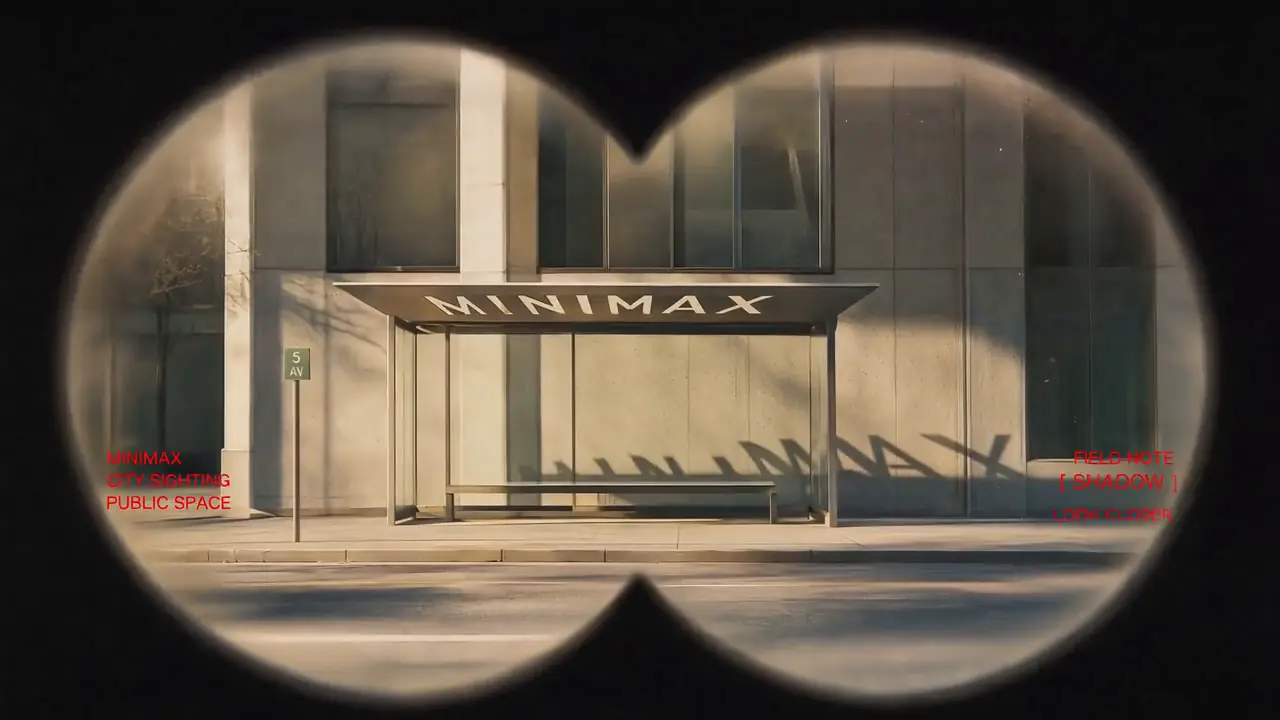
“Use Images 1–4 as sequential keyframes, seen through a vintage binocular viewfinder searching for the MINIMAX installation. Open out of focus with subtle handheld shake, then push in quickly and rack focus onto Image 1. Between keyframes, use fast binocular-scan transitions with whip movement, motion blur, optical smearing, and brief exposure flicker. Cut at peak blur, then settle and snap back into focus. Keep the twin circular lens mask absolutely fixed throughout: identical position, scale, feathered black vignette, and edge softness, with no warping or drift. Only the image inside the mask may move. In Image 2, let the fabric move gently in the wind while the MINIMAX lettering follows the folds and remains legible. In Image 3, the subject should feel like a stylish passerby caught by chance, walking, turning, and swinging their arms naturally. In Image 4, the subject adjusts their glasses or lifts their chin slightly with a cool, effortless fashion-campaign attitude. Red typography should resolve with the focus: begin slightly blurred and at low opacity, then fade into clarity over 0.3–0.5 seconds. A subtle vertical slide or slight tracking expansion is allowed. Fade it out before the next transition or let motion blur carry it away. No spins, bounces, or large fly-ins/outs. Visual language: a voyeuristic, Wes Anderson-inspired 35 mm film look with fine grain, soft highlight halation, restrained color, and red typographic accents. Minimal, premium, lightly playful. Do not add people, vehicles, buildings, or logos. Preserve the core composition and the MINIMAX installation exactly. PRODUCTION CONTROL MODE: Reference to Video. Assign Images 1–4 only as sequential visual anchors. TIMELINE: 0–3s search and rack focus; 3–10s two fast scan transitions; 10–15s settle on the final mark. CONTINUITY LOCKS: the twin circular mask, vignette softness and installation lettering never change geometry. CAMERA: handheld micro-shake inside the mask only; cut at peak motion blur. AUDIO: wind, cloth movement and two short optical whooshes; restrained low pulse, no dominant score. END FRAME: hold the final mark sharp for one second. AVOID: mask drift, melted text, cross-dissolves and extra subjects.”

View full prompt

Use Images 1–4 as sequential keyframes, seen through a vintage binocular viewfinder searching for the MINIMAX installation. Open out of focus with subtle handheld shake, then push in quickly and rack focus onto Image 1. Between keyframes, use fast binocular-scan transitions with whip movement, motion blur, optical smearing, and brief exposure flicker. Cut at peak blur, then settle and snap back into focus. Keep the twin circular lens mask absolutely fixed throughout: identical position, scale, feathered black vignette, and edge softness, with no warping or drift. Only the image inside the mask may move. In Image 2, let the fabric move gently in the wind while the MINIMAX lettering follows the folds and remains legible. In Image 3, the subject should feel like a stylish passerby caught by chance, walking, turning, and swinging their arms naturally. In Image 4, the subject adjusts their glasses or lifts their chin slightly with a cool, effortless fashion-campaign attitude. Red typography should resolve with the focus: begin slightly blurred and at low opacity, then fade into clarity over 0.3–0.5 seconds. A subtle vertical slide or slight tracking expansion is allowed. Fade it out before the next transition or let motion blur carry it away. No spins, bounces, or large fly-ins/outs. Visual language: a voyeuristic, Wes Anderson-inspired 35 mm film look with fine grain, soft highlight halation, restrained color, and red typographic accents. Minimal, premium, lightly playful. Do not add people, vehicles, buildings, or logos. Preserve the core composition and the MINIMAX installation exactly. PRODUCTION CONTROL MODE: Reference to Video. Assign Images 1–4 only as sequential visual anchors. TIMELINE: 0–3s search and rack focus; 3–10s two fast scan transitions; 10–15s settle on the final mark. CONTINUITY LOCKS: the twin circular mask, vignette softness and installation lettering never change geometry. CAMERA: handheld micro-shake inside the mask only; cut at peak motion blur. AUDIO: wind, cloth movement and two short optical whooshes; restrained low pulse, no dominant score. END FRAME: hold the final mark sharp for one second. AVOID: mask drift, melted text, cross-dissolves and extra subjects.

Epic Space Opera Teaser AI video previewCinematic

Epic Space Opera Teaser

Cinematic
Model
MiniMax H3
Duration
15 seconds
Resolution
768p
Est. cost
90 credits

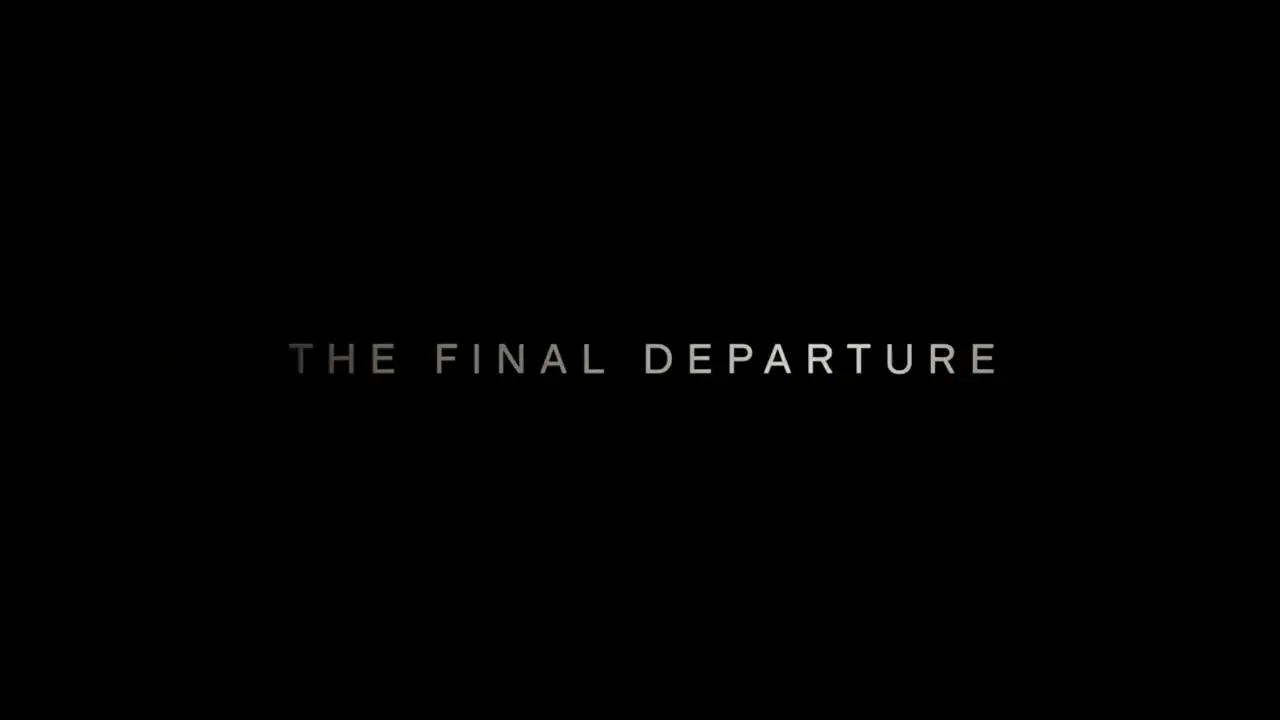
“Epic theatrical space-opera teaser Keep the pace fast and the scale enormous without letting the edit drag. Use sharp hard cuts, a shaking command deck, white-hot flashes, split-second black frames, and a violent jump-to-warp impact. Title cards should use wide-tracked cinematic typography—not pure white—with restrained material texture, subtle illumination, and a faint edge glow. Animate the titles by emerging from deep-space shadow, catching a sweep of starlight, opening their letter spacing, leaving a slight afterimage, and flashing briefly against black. PRODUCTION CONTROL MODE: First & Last Frame. SHOT BUDGET: maximum four shots. TIMELINE: 0–3s command-deck disturbance; 3–7s gateway reveal; 7–11s jump-to-warp impact; 11–15s title on black. CAMERA: one primary movement per shot. TEXT LOCK: exact title copy, centered, wide-tracked, fully readable for at least 24 frames. AUDIO: sub-bass rise, one metallic impact at the warp cut, then a short vacuum drop. AVOID: extra title cards, soft dissolves, pure-white typography and constant camera shake.”

View full prompt

Epic theatrical space-opera teaser Keep the pace fast and the scale enormous without letting the edit drag. Use sharp hard cuts, a shaking command deck, white-hot flashes, split-second black frames, and a violent jump-to-warp impact. Title cards should use wide-tracked cinematic typography—not pure white—with restrained material texture, subtle illumination, and a faint edge glow. Animate the titles by emerging from deep-space shadow, catching a sweep of starlight, opening their letter spacing, leaving a slight afterimage, and flashing briefly against black. PRODUCTION CONTROL MODE: First & Last Frame. SHOT BUDGET: maximum four shots. TIMELINE: 0–3s command-deck disturbance; 3–7s gateway reveal; 7–11s jump-to-warp impact; 11–15s title on black. CAMERA: one primary movement per shot. TEXT LOCK: exact title copy, centered, wide-tracked, fully readable for at least 24 frames. AUDIO: sub-bass rise, one metallic impact at the warp cut, then a short vacuum drop. AVOID: extra title cards, soft dissolves, pure-white typography and constant camera shake.

Desert Fashion Campaign AI video previewFashion

Desert Fashion Campaign

Fashion
Model
MiniMax H3
Duration
15 seconds
Resolution
768p
Est. cost
90 credits

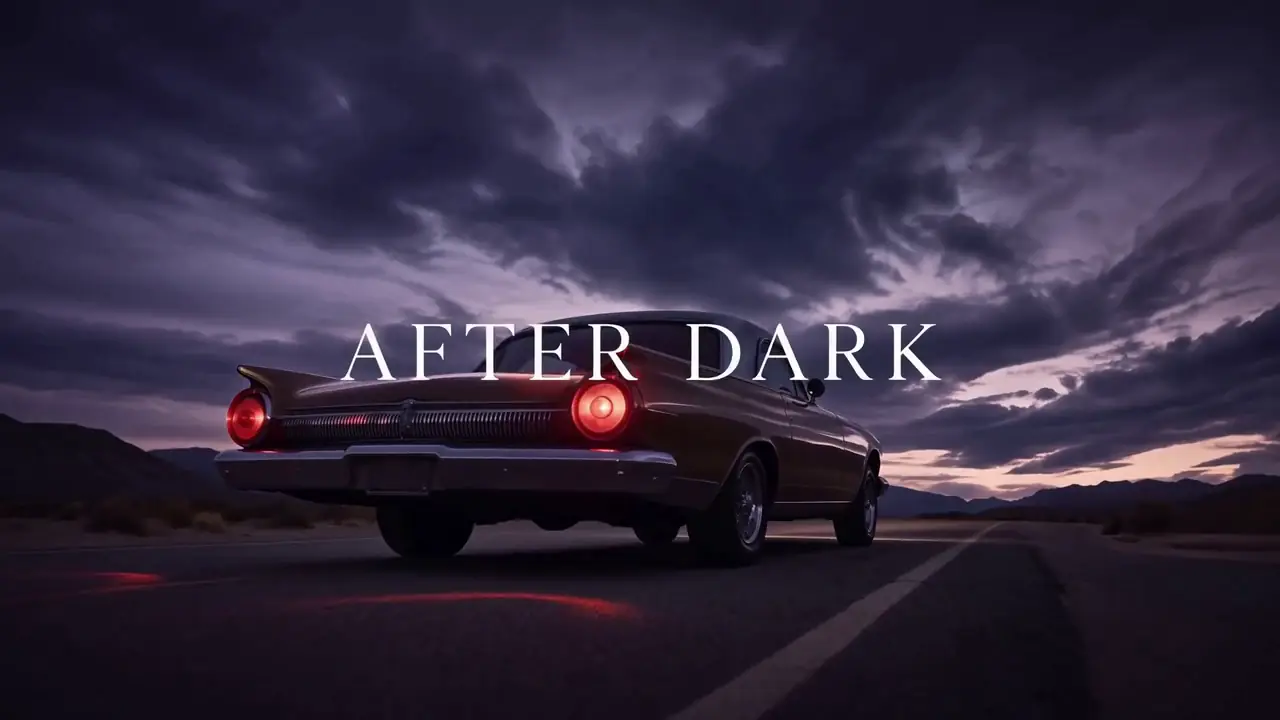
“Create a premium 16:9 landscape fashion film. Use Image 1 for the overall mood, location, and film texture; Image 2 for the talent; Image 3 for the bag; and Image 4 for the closing brand mark. This is a fashion campaign for the clothing and bag. The tone is elevated, cool, and restrained, but the edit should still feel lively and fashion-forward—not like a conventional narrative film or an e-commerce ad. Keep the story simple: beside a vintage car on a desert highway, a woman walks to the rear of the car, opens the trunk, takes out a black bag, shares a quiet beat with the man standing nearby, then leaves carrying the bag. Integrate the clothing and bag naturally into the performance so they feel like part of the characters’ identity. PRODUCTION CONTROL MODE: Reference to Video. Image 1 controls desert location and film texture; Image 2 the woman; Image 3 the black bag; Image 4 the closing mark. ACTION ORDER: approach trunk → open trunk → lift bag by its handle → brief eye contact → walk away. CAMERA: three restrained editorial setups, never more than one move per setup. PRODUCT LOCK: preserve bag silhouette, material, hardware and color. AUDIO: desert wind, trunk latch, footsteps on gravel; minimal music. END FRAME: clean brand mark after the walk-away. AVOID: extra products, wardrobe swaps and e-commerce turntable shots.”

View full prompt

Create a premium 16:9 landscape fashion film. Use Image 1 for the overall mood, location, and film texture; Image 2 for the talent; Image 3 for the bag; and Image 4 for the closing brand mark. This is a fashion campaign for the clothing and bag. The tone is elevated, cool, and restrained, but the edit should still feel lively and fashion-forward—not like a conventional narrative film or an e-commerce ad. Keep the story simple: beside a vintage car on a desert highway, a woman walks to the rear of the car, opens the trunk, takes out a black bag, shares a quiet beat with the man standing nearby, then leaves carrying the bag. Integrate the clothing and bag naturally into the performance so they feel like part of the characters’ identity. PRODUCTION CONTROL MODE: Reference to Video. Image 1 controls desert location and film texture; Image 2 the woman; Image 3 the black bag; Image 4 the closing mark. ACTION ORDER: approach trunk → open trunk → lift bag by its handle → brief eye contact → walk away. CAMERA: three restrained editorial setups, never more than one move per setup. PRODUCT LOCK: preserve bag silhouette, material, hardware and color. AUDIO: desert wind, trunk latch, footsteps on gravel; minimal music. END FRAME: clean brand mark after the walk-away. AVOID: extra products, wardrobe swaps and e-commerce turntable shots.

Cyber-Grunge Fashion Film AI video previewCinematic

Cyber-Grunge Fashion Film

Cinematic
Model
MiniMax H3
Duration
15 seconds
Resolution
768p
Est. cost
90 credits

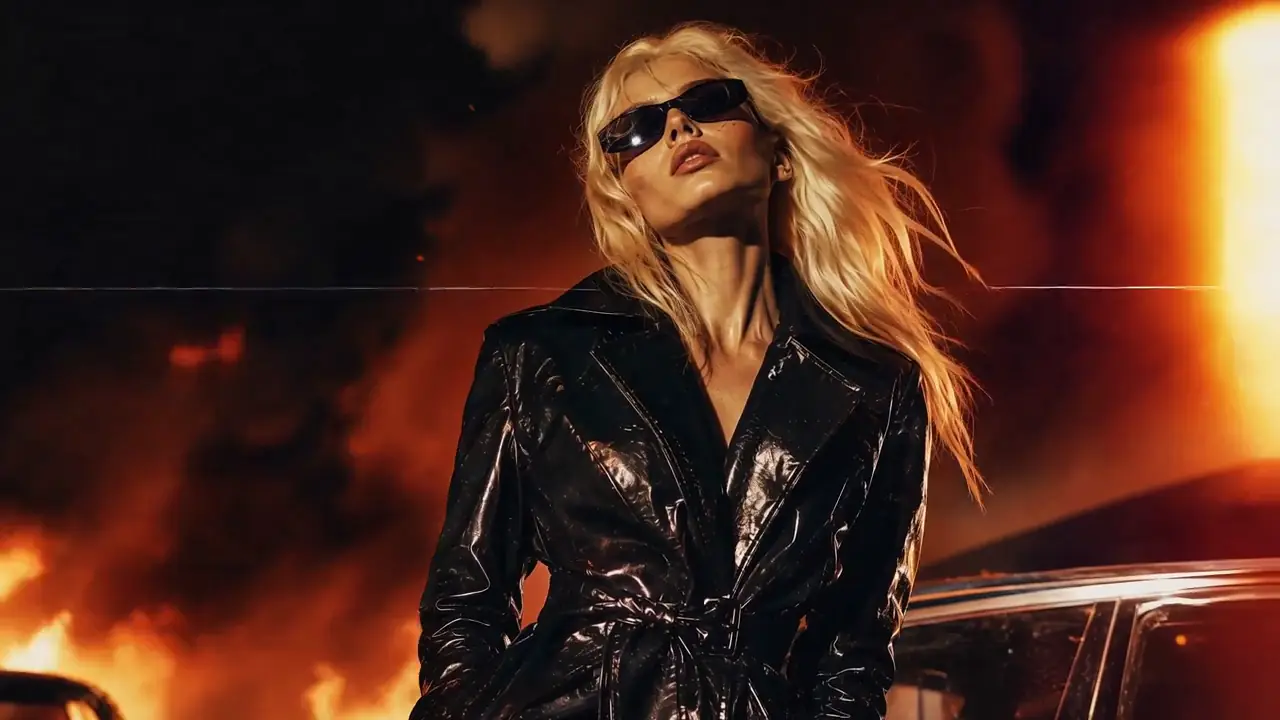
“Use Image 1 as the reference for texture and mood, and Image 2 for the subject’s appearance. Generate a 15-second, 16:9 fashion short. Preserve the subject’s identity: long platinum-blonde hair, narrow black vintage sunglasses, a glossy black patent-leather trench coat, a cool, self-assured expression, and orange firelight reflected across the coat. Style: fast-cut fashion film on analog stock, set against a nighttime blaze with black smoke and orange-red flames. Layer in VHS glitches, CCTV signal interruptions, 1990s film grain, scanlines, chromatic aberration, light leaks, flash-to-white transitions, and subtle frame jitter. PRODUCTION CONTROL MODE: Reference to Video. Image 1 controls texture and fire-lit mood; Image 2 controls identity, hair, sunglasses and coat. TIMELINE: 0–4s close-up identity lock; 4–10s two fashion poses with hard cuts; 10–15s walking hero shot. EFFECT RULE: glitches may affect signal and background, not facial geometry or garment construction. CAMERA: handheld 35mm language with two deliberate flash cuts. AUDIO: fire crackle, low industrial beat and one tape-stop accent. AVOID: face replacement, coat color changes, continuous glitch overlays and unreadable silhouettes.”

View full prompt

Use Image 1 as the reference for texture and mood, and Image 2 for the subject’s appearance. Generate a 15-second, 16:9 fashion short. Preserve the subject’s identity: long platinum-blonde hair, narrow black vintage sunglasses, a glossy black patent-leather trench coat, a cool, self-assured expression, and orange firelight reflected across the coat. Style: fast-cut fashion film on analog stock, set against a nighttime blaze with black smoke and orange-red flames. Layer in VHS glitches, CCTV signal interruptions, 1990s film grain, scanlines, chromatic aberration, light leaks, flash-to-white transitions, and subtle frame jitter. PRODUCTION CONTROL MODE: Reference to Video. Image 1 controls texture and fire-lit mood; Image 2 controls identity, hair, sunglasses and coat. TIMELINE: 0–4s close-up identity lock; 4–10s two fashion poses with hard cuts; 10–15s walking hero shot. EFFECT RULE: glitches may affect signal and background, not facial geometry or garment construction. CAMERA: handheld 35mm language with two deliberate flash cuts. AUDIO: fire crackle, low industrial beat and one tape-stop accent. AVOID: face replacement, coat color changes, continuous glitch overlays and unreadable silhouettes.

Retro Anime Crime Title Sequence AI video previewCinematic

Retro Anime Crime Title Sequence

Cinematic
Model
MiniMax H3
Duration
15 seconds
Resolution
768p
Est. cost
90 credits

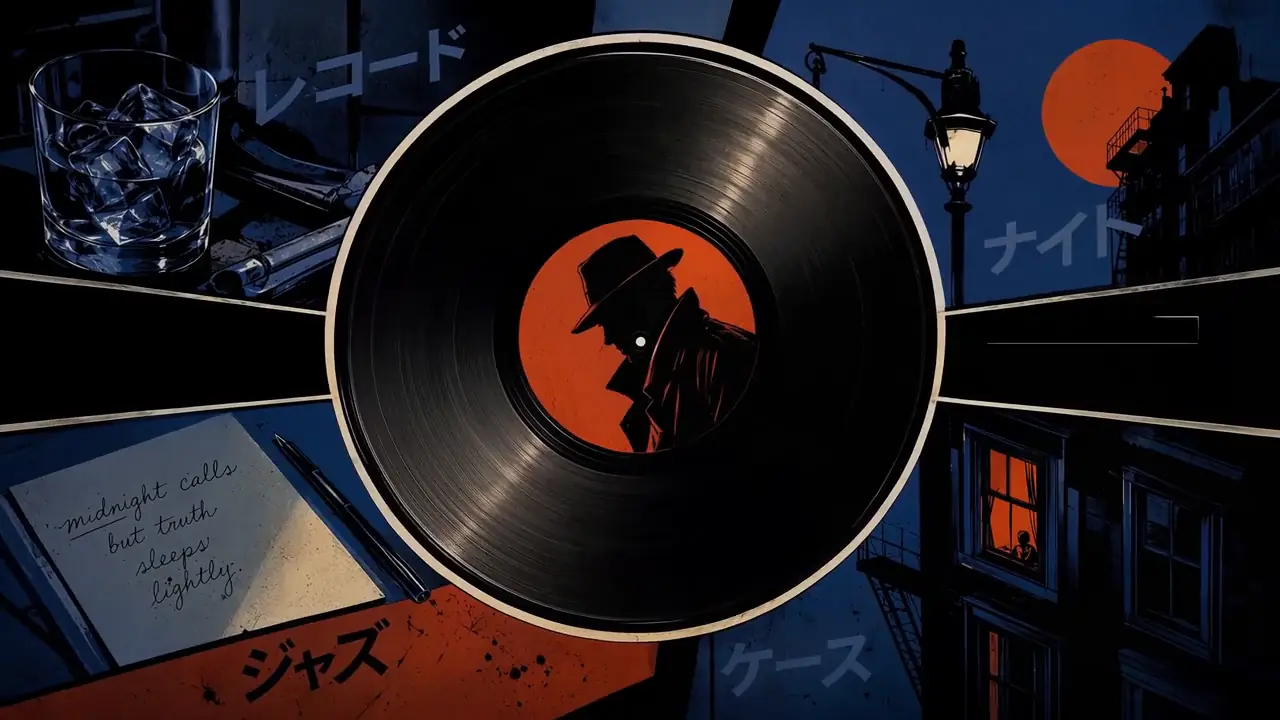
“Create a 15-second, 16:9 opening-title sequence for a stylish crime mystery. Draw from retro Japanese animation titles, hard-edged silhouettes, comic-book collage, asymmetric split screens, bold geometric color fields, English credit typography, sparse katakana accents, and a noir-jazz sensibility. Aim for 60% suspense and 40% jazz: mysterious, cool, agile, and urban—never horror, heavy drama, or a cheerful jazz music video. Build the sequence as motion-graphics collage: linework appears over black, split-screen boundaries snap into place, then color blocks and frames assemble piece by piece. Character silhouettes, prop close-ups, and English credits slide, pop, and reveal through masks on the beat. Keep it designed and graphic, not like conventional narrative animation. Credits must be clean and legible. Animate thin frames drawing on, names sliding in, letters appearing one at a time, or color blocks revealing type, then hold briefly. Do not introduce Chinese text, garbled characters, or misspellings. Each role and each name appears once only; do not assign multiple roles to the same name. Vary the transitions: circular vinyl-record wipes, vertical car-door cuts, long character shadows wiping frame, red-line slices, oversized letter masks, split-screen reconfigurations, hard color-block cuts, and tiled frames snapping into place. Keep every transition crisp, rhythmic, suspenseful, and collage-driven. No soft dissolves or fluid morphs. BGM: an original 15-second title cue, 60% suspense and 40% jazz. Use a low drone, tense string pizzicato, cool synth pulses, low kick, sparse brushwork, fragments of walking bass, short baritone-sax phrases, and clipped brass accents. Build suspense with low frequencies and hi-hat in the first 2 seconds; bring in the low beat at 3 seconds, jazz-bass movement at 6 seconds, and a short sax/brass riff at 10 seconds. Freeze the final 2 seconds on a tense chord and drum hit. Keep it mysterious and criminally cool, never upbeat, and do not imitate an existing melody. PRODUCTION CONTROL MODE: Reference to Video. Images 1–5 define graphic language, character silhouettes, palette and credit layout; do not combine identities across references. SHOT PLAN: black-and-white linework → geometric split-screen assembly → prop close-ups → final ensemble title. TYPOGRAPHY LOCK: exact English credit strings supplied in the prompt, one credit per card, minimum one-second hold. MOTION: masks, slides and snap cuts on beat; no fluid morphing. AUDIO: brushed drums, upright bass and clipped brass accents. AVOID: narrative lip sync, 3D rendering, horror imagery and decorative fake text.”

View full prompt

Create a 15-second, 16:9 opening-title sequence for a stylish crime mystery. Draw from retro Japanese animation titles, hard-edged silhouettes, comic-book collage, asymmetric split screens, bold geometric color fields, English credit typography, sparse katakana accents, and a noir-jazz sensibility. Aim for 60% suspense and 40% jazz: mysterious, cool, agile, and urban—never horror, heavy drama, or a cheerful jazz music video. Build the sequence as motion-graphics collage: linework appears over black, split-screen boundaries snap into place, then color blocks and frames assemble piece by piece. Character silhouettes, prop close-ups, and English credits slide, pop, and reveal through masks on the beat. Keep it designed and graphic, not like conventional narrative animation. Credits must be clean and legible. Animate thin frames drawing on, names sliding in, letters appearing one at a time, or color blocks revealing type, then hold briefly. Do not introduce Chinese text, garbled characters, or misspellings. Each role and each name appears once only; do not assign multiple roles to the same name. Vary the transitions: circular vinyl-record wipes, vertical car-door cuts, long character shadows wiping frame, red-line slices, oversized letter masks, split-screen reconfigurations, hard color-block cuts, and tiled frames snapping into place. Keep every transition crisp, rhythmic, suspenseful, and collage-driven. No soft dissolves or fluid morphs. BGM: an original 15-second title cue, 60% suspense and 40% jazz. Use a low drone, tense string pizzicato, cool synth pulses, low kick, sparse brushwork, fragments of walking bass, short baritone-sax phrases, and clipped brass accents. Build suspense with low frequencies and hi-hat in the first 2 seconds; bring in the low beat at 3 seconds, jazz-bass movement at 6 seconds, and a short sax/brass riff at 10 seconds. Freeze the final 2 seconds on a tense chord and drum hit. Keep it mysterious and criminally cool, never upbeat, and do not imitate an existing melody. PRODUCTION CONTROL MODE: Reference to Video. Images 1–5 define graphic language, character silhouettes, palette and credit layout; do not combine identities across references. SHOT PLAN: black-and-white linework → geometric split-screen assembly → prop close-ups → final ensemble title. TYPOGRAPHY LOCK: exact English credit strings supplied in the prompt, one credit per card, minimum one-second hold. MOTION: masks, slides and snap cuts on beat; no fluid morphing. AUDIO: brushed drums, upright bass and clipped brass accents. AVOID: narrative lip sync, 3D rendering, horror imagery and decorative fake text.

Hand-Drawn Kitchen Creature AI video previewCinematic

Hand-Drawn Kitchen Creature

Cinematic
Model
MiniMax H3
Duration
15 seconds
Resolution
768p
Est. cost
90 credits

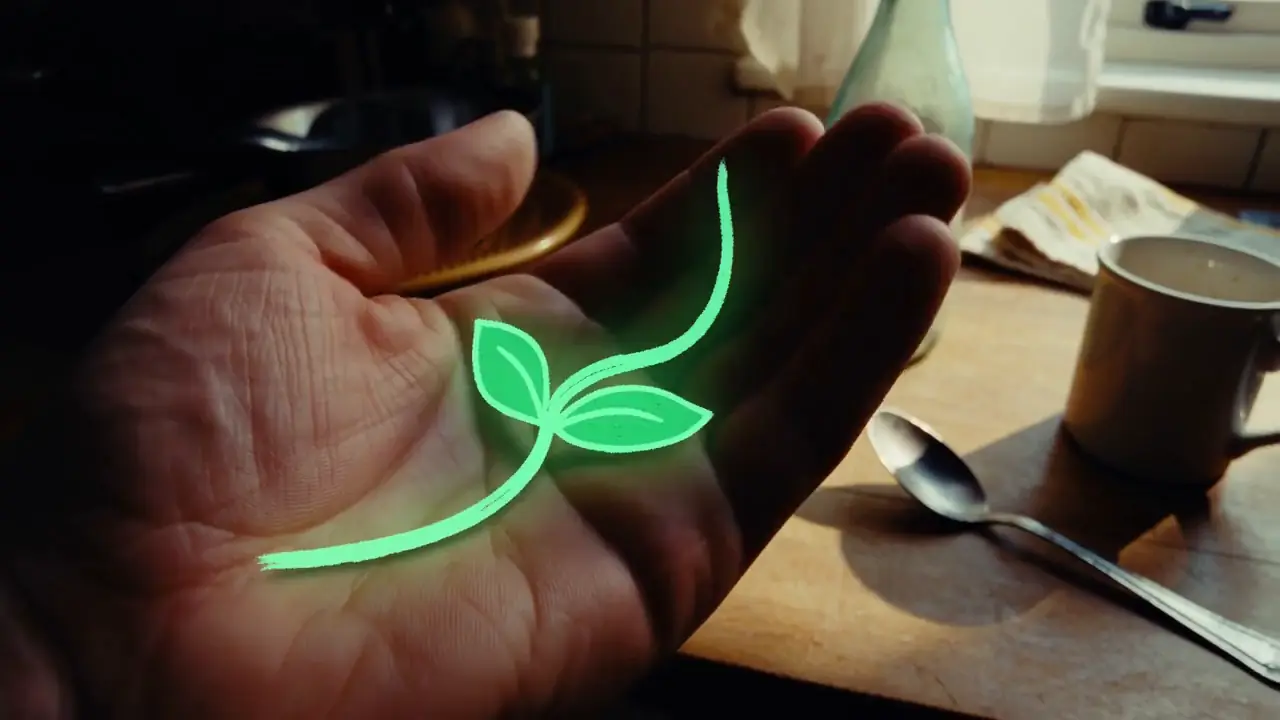
“15 seconds, 16:9 landscape. Blend live-action footage of a small kitchen at dusk with hand-drawn luminous animation. The last sunset light lingers at the window. The lived-in kitchen contains an old wooden table, a half-washed mug, a lightly fogged glass bottle, and a hanging dish towel. Shoot as if someone is filming one-handed on a phone: subtle hand tremor, hesitant close-focus pulls, backlit exposure breathing, and slightly coarse noise in the shadows. It should feel like an astonishing event captured in a rush at home, not a carefully dressed commercial. Do not show giant eyes, split mouths, fangs, threatening behavior, lunges, sudden black frames, or jump scares. Use only room tone, cloth friction, a soft mug clink, faucet drips, the camera operator’s footsteps and quiet breathing, plus gentle electronic tones and tiny vocalizations from the drawn creatures. PRODUCTION CONTROL MODE: Text to Video. TIMELINE: 0–4s hesitant kitchen discovery; 4–9s luminous creature crosses the table; 9–13s it reacts to a mug clink; 13–15s operator steadies the phone. CAMERA: one-handed phone, delayed autofocus and exposure breathing. SOUND: room tone, faucet drip, cloth friction, mug clink, footsteps and breathing; only tiny electronic creature tones, no score. CONTINUITY: kitchen layout and sunset direction remain stable. AVOID: giant eyes, fangs, lunges, jump cuts to black and studio lighting.”

View full prompt

15 seconds, 16:9 landscape. Blend live-action footage of a small kitchen at dusk with hand-drawn luminous animation. The last sunset light lingers at the window. The lived-in kitchen contains an old wooden table, a half-washed mug, a lightly fogged glass bottle, and a hanging dish towel. Shoot as if someone is filming one-handed on a phone: subtle hand tremor, hesitant close-focus pulls, backlit exposure breathing, and slightly coarse noise in the shadows. It should feel like an astonishing event captured in a rush at home, not a carefully dressed commercial. Do not show giant eyes, split mouths, fangs, threatening behavior, lunges, sudden black frames, or jump scares. Use only room tone, cloth friction, a soft mug clink, faucet drips, the camera operator’s footsteps and quiet breathing, plus gentle electronic tones and tiny vocalizations from the drawn creatures. PRODUCTION CONTROL MODE: Text to Video. TIMELINE: 0–4s hesitant kitchen discovery; 4–9s luminous creature crosses the table; 9–13s it reacts to a mug clink; 13–15s operator steadies the phone. CAMERA: one-handed phone, delayed autofocus and exposure breathing. SOUND: room tone, faucet drip, cloth friction, mug clink, footsteps and breathing; only tiny electronic creature tones, no score. CONTINUITY: kitchen layout and sunset direction remain stable. AVOID: giant eyes, fangs, lunges, jump cuts to black and studio lighting.

Visible answers

MiniMax H3 vs Seedance 2.5 FAQ

Is Seedance 2.5 better than MiniMax H3?

Not universally. Seedance 2.5 has a workflow advantage when you need up to 30 seconds in one generation, a much larger reference set or Seedance’s editing capabilities. H3 remains competitive for 4–15 second production shots, hosted 2K output, simple per-second API pricing and downloadable model access.

MiniMax H3 vs Seedance 2.5: which should I use?

Use H3 when your workflow is built around short shots, 2K hosted delivery or local H3 experimentation. Evaluate Seedance 2.5 when longer one-pass storytelling, larger multimodal reference sets or editing are the primary requirement.

How long can MiniMax H3 generate?

MiniMax’s current official H3 documentation specifies output durations from 4 to 15 seconds.

How long can Seedance 2.5 generate?

ByteDance’s current Seedance 2.5 documentation describes single generations up to 30 seconds.

Does Seedance 2.5 have an API?

Yes. Current official BytePlus documentation lists dreamina-seedance-2-5-260628 as a supported Seedance 2.5 enhanced video-generation model.

What resolution does the Seedance 2.5 API support?

The current official BytePlus Seedance 2.5 enhanced-generation documentation specifies 480P and 720P API output at 24 FPS. It does not document 4K output for this model ID.

Does MiniMax H3 support 2K?

Yes. MiniMax’s hosted H3 workflow supports output up to 2K through its current H3-Regenerate-2K production system. That hosted module is distinct from the base checkpoint.

Which supports more references?

Seedance 2.5 has the larger documented reference capacity: up to 30 images, 10 videos and 10 audio clips. H3 Ref2VA documents up to 9 images, 3 videos and 3 audio clips, with 12 files maximum overall.

Does MiniMax H3 support video references?

Yes. H3 Ref2VA supports up to three video references, each from 2 to 15 seconds, with a combined video duration no greater than 15 seconds.

Does Seedance 2.5 support video references?

Yes. Seedance 2.5 supports video reference inputs, including combined image, video and audio reference workflows in the current official API documentation.

Which is better for 30-second video?

Seedance 2.5 is the more direct starting point because it supports up to 30 seconds in a single generation. H3 supports up to 15 seconds, so a 30-second H3 production generally needs at least two planned shots.

Which is better for short advertising shots?

H3 is worth testing first when the shot fits inside 4–15 seconds, especially if hosted 2K delivery or H3’s current API pricing is valuable. A longer maximum does not automatically improve a short shot.

Does MiniMax H3 have open weights?

Yes. MiniMax released downloadable H3 model weights and technical resources. The downloadable H3-Base path should still be distinguished from hosted Context-IR and 2K regeneration services.

Can Seedance 2.5 run locally?

Do not assume Seedance 2.5 has an H3-equivalent downloadable local route. Current official access is centered on ByteDance products and the hosted BytePlus API unless ByteDance publishes another deployment option.

Which model is cheaper?

H3 has straightforward published per-output-second pricing. BytePlus also publishes a Seedance 2.5 LAS estimation formula, but resolution factors and input-video billing make it route-dependent. Compare the same duration, resolution and input type.

Which model has better video quality?

No universal winner should be claimed without matched tests. Duration, resolution, references and editing can be compared from documentation, but visual quality requires controlled outputs under comparable conditions.

Which model is better for API developers?

Choose by production contract. H3 is attractive for short 768P/2K workflows and clear output pricing; Seedance 2.5 is attractive when 16–30 second output, larger references or editing matter.

Should I switch from H3 to Seedance 2.5?

Switch only when Seedance 2.5 solves a specific constraint better. If H3 meets your duration, reference, resolution, deployment and cost requirements, switching providers may add complexity without improving production.

Provenance

Sources and Verification

This comparison separates provider-published specifications from MiniMax3.org editorial analysis and first-party tests. Access, API specifications and pricing change quickly, so major facts carry a verification date and should be reviewed against the latest official documentation.

OFFICIAL

MiniMax H3

Model verified 2026-08-31; price verified 2026-08-31

OFFICIAL

Seedance 2.5

Model/API verified 2026-08-31; price verified 2026-08-31

Download comparison data

The HTML table, JSON and CSV use the same two-model source object, including independent verification dates and null values where official documentation is missing.

One real shot

Before You Switch Models, Run One Real Shot

If Seedance 2.5 solves a constraint H3 cannot, use Seedance. If H3 solves your actual production shot, changing models may only add complexity. Compare with your own brief instead of a demo reel.

MiniMax3.org is independent and is not operated by or affiliated with MiniMax, ByteDance, Dreamina or BytePlus. Product names are used for factual comparison.

About the author

Jaysean Brambila is the founder of MiniMax3.org, where he works on practical AI video generation workflows, prompt engineering, multimodal video tools, and creator-focused MiniMax H3 resources.