
CURRENT MODEL COMPARISON · VERIFIED SEPTEMBER 2026
MiniMax H3 vs Veo 3.1: Which Video Model Fits Your Workflow?
A constraint-first comparison of native duration, resolution, references, extension, deployment and current API cost.
Published September 2026 · Last verified September 5, 2026 · Jaysean Brambila, Founder, MiniMax3.org
Quick Answer
MiniMax H3 and Google Veo 3.1 solve different production constraints.
MiniMax H3 supports 4–15 second audiovisual generation, up to 2K output, native stereo audio, broad image/video/audio reference inputs and a public H3-Base path for local deployment.
Veo 3.1 supports native audiovisual generation up to 4K, first-and-last-frame interpolation, image-based reference direction and a dedicated video-extension workflow inside Google’s Gemini ecosystem.
Choose H3 when longer single-pass clips, flexible duration, broader multimodal references or an open-weight deployment path matter. Choose Veo 3.1 when native 4K output, Google’s managed API ecosystem or Veo’s chained video-extension workflow is the production requirement.
One important difference is often missed in simple specification tables: Veo 3.1’s headline capabilities cannot always be combined freely. Higher resolution, references and extension can impose specific duration or resolution constraints.
MiniMax H3 vs Veo 3.1 at a Glance
| Capability | MiniMax H3 | Veo 3.1 |
|---|---|---|
| Native generation duration | 4–15 sec, integer seconds | 4 / 6 / 8 sec depending on mode |
| Maximum native single clip | 15 sec | 8 sec |
| Maximum documented resolution | Up to 2K | Up to 4K |
| Frame rate | 24 FPS | 24 FPS |
| Native audio | Yes, 32 kHz stereo | Yes |
| First frame / first + last | Yes / Yes | Yes / Yes |
| Image references | Up to 9 in H3 Ref2VA | Up to 3 in supported workflow |
| Video references | Up to 3 clips | Extension uses prior Veo-generated video |
| Audio references | Up to 3 clips with H3 rules | No equivalent external audio-reference contract |
| Mixed reference files | Up to 12 | Different, more constrained contract |
| Aspect ratios | 21:9, 16:9, 4:3, 1:1, 3:4, 9:16 and more | 16:9 / 9:16 |
| Public model weights / local | H3-Base public / yes | No / managed service |
| Native 4K | No | Yes |
| Dedicated extension chain | No Veo-equivalent chain | Yes |
| API ecosystem | MiniMax Open Platform | Gemini API |
Quick verdict: Veo 3.1 wins when native 4K or Google-managed video extension is a hard requirement. H3 provides more duration flexibility, broader multimodal reference inputs and an open-weight deployment path.
Test MiniMax H3 Before Choosing Veo 3.1
Use the same production brief you plan to test with Veo 3.1. Compare accepted-output rate, retries, required duration, reference control and total production cost rather than unrelated showcase videos.
Test your real production brief in MiniMax H3 below.
First 5 images are included; each additional image uses 3 credits.
MP4 / MOV / MKV, up to 3 files, 50MB each
MP3 / WAV / AAC / FLAC, up to 3 files, 15MB each
Recommended for testing prompts and first drafts.
2K output is available on the 2K tier only.
Checking your account…
Pick a result, make it yours
Create a Video Like This
Choose an example and your prompt, model, and settings load instantly.
 Product Ads
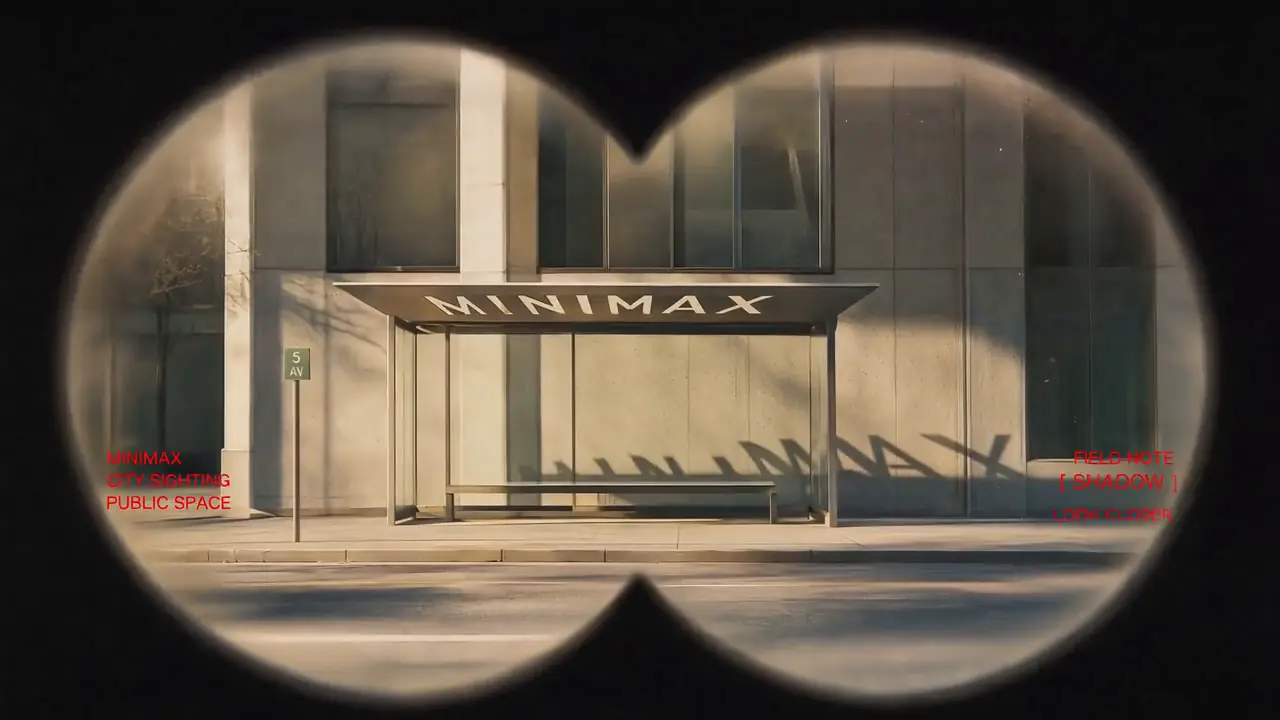
Vintage Binocular Brand Film
Product Ads- Model
- MiniMax H3
- Duration
- 15 seconds
- Resolution
- 768p
- Est. cost
- 90 credits
“Use Images 1–4 as sequential keyframes, seen through a vintage binocular viewfinder searching for the MINIMAX installation. Open out of focus with subtle handheld shake, then push in quickly and rack focus onto Image 1. Between keyframes, use fast binocular-scan transitions with whip movement, motion blur, optical smearing, and brief exposure flicker. Cut at peak blur, then settle and snap back into focus. Keep the twin circular lens mask absolutely fixed throughout: identical position, scale, feathered black vignette, and edge softness, with no warping or drift. Only the image inside the mask may move. In Image 2, let the fabric move gently in the wind while the MINIMAX lettering follows the folds and remains legible. In Image 3, the subject should feel like a stylish passerby caught by chance, walking, turning, and swinging their arms naturally. In Image 4, the subject adjusts their glasses or lifts their chin slightly with a cool, effortless fashion-campaign attitude. Red typography should resolve with the focus: begin slightly blurred and at low opacity, then fade into clarity over 0.3–0.5 seconds. A subtle vertical slide or slight tracking expansion is allowed. Fade it out before the next transition or let motion blur carry it away. No spins, bounces, or large fly-ins/outs. Visual language: a voyeuristic, Wes Anderson-inspired 35 mm film look with fine grain, soft highlight halation, restrained color, and red typographic accents. Minimal, premium, lightly playful. Do not add people, vehicles, buildings, or logos. Preserve the core composition and the MINIMAX installation exactly. PRODUCTION CONTROL MODE: Reference to Video. Assign Images 1–4 only as sequential visual anchors. TIMELINE: 0–3s search and rack focus; 3–10s two fast scan transitions; 10–15s settle on the final mark. CONTINUITY LOCKS: the twin circular mask, vignette softness and installation lettering never change geometry. CAMERA: handheld micro-shake inside the mask only; cut at peak motion blur. AUDIO: wind, cloth movement and two short optical whooshes; restrained low pulse, no dominant score. END FRAME: hold the final mark sharp for one second. AVOID: mask drift, melted text, cross-dissolves and extra subjects.”
View full promptHide full prompt
Use Images 1–4 as sequential keyframes, seen through a vintage binocular viewfinder searching for the MINIMAX installation. Open out of focus with subtle handheld shake, then push in quickly and rack focus onto Image 1. Between keyframes, use fast binocular-scan transitions with whip movement, motion blur, optical smearing, and brief exposure flicker. Cut at peak blur, then settle and snap back into focus. Keep the twin circular lens mask absolutely fixed throughout: identical position, scale, feathered black vignette, and edge softness, with no warping or drift. Only the image inside the mask may move. In Image 2, let the fabric move gently in the wind while the MINIMAX lettering follows the folds and remains legible. In Image 3, the subject should feel like a stylish passerby caught by chance, walking, turning, and swinging their arms naturally. In Image 4, the subject adjusts their glasses or lifts their chin slightly with a cool, effortless fashion-campaign attitude. Red typography should resolve with the focus: begin slightly blurred and at low opacity, then fade into clarity over 0.3–0.5 seconds. A subtle vertical slide or slight tracking expansion is allowed. Fade it out before the next transition or let motion blur carry it away. No spins, bounces, or large fly-ins/outs. Visual language: a voyeuristic, Wes Anderson-inspired 35 mm film look with fine grain, soft highlight halation, restrained color, and red typographic accents. Minimal, premium, lightly playful. Do not add people, vehicles, buildings, or logos. Preserve the core composition and the MINIMAX installation exactly. PRODUCTION CONTROL MODE: Reference to Video. Assign Images 1–4 only as sequential visual anchors. TIMELINE: 0–3s search and rack focus; 3–10s two fast scan transitions; 10–15s settle on the final mark. CONTINUITY LOCKS: the twin circular mask, vignette softness and installation lettering never change geometry. CAMERA: handheld micro-shake inside the mask only; cut at peak motion blur. AUDIO: wind, cloth movement and two short optical whooshes; restrained low pulse, no dominant score. END FRAME: hold the final mark sharp for one second. AVOID: mask drift, melted text, cross-dissolves and extra subjects.
 Cinematic
Epic Space Opera Teaser
Cinematic- Model
- MiniMax H3
- Duration
- 15 seconds
- Resolution
- 768p
- Est. cost
- 90 credits
“Epic theatrical space-opera teaser Keep the pace fast and the scale enormous without letting the edit drag. Use sharp hard cuts, a shaking command deck, white-hot flashes, split-second black frames, and a violent jump-to-warp impact. Title cards should use wide-tracked cinematic typography—not pure white—with restrained material texture, subtle illumination, and a faint edge glow. Animate the titles by emerging from deep-space shadow, catching a sweep of starlight, opening their letter spacing, leaving a slight afterimage, and flashing briefly against black. PRODUCTION CONTROL MODE: First & Last Frame. SHOT BUDGET: maximum four shots. TIMELINE: 0–3s command-deck disturbance; 3–7s gateway reveal; 7–11s jump-to-warp impact; 11–15s title on black. CAMERA: one primary movement per shot. TEXT LOCK: exact title copy, centered, wide-tracked, fully readable for at least 24 frames. AUDIO: sub-bass rise, one metallic impact at the warp cut, then a short vacuum drop. AVOID: extra title cards, soft dissolves, pure-white typography and constant camera shake.”
View full promptHide full prompt
Epic theatrical space-opera teaser Keep the pace fast and the scale enormous without letting the edit drag. Use sharp hard cuts, a shaking command deck, white-hot flashes, split-second black frames, and a violent jump-to-warp impact. Title cards should use wide-tracked cinematic typography—not pure white—with restrained material texture, subtle illumination, and a faint edge glow. Animate the titles by emerging from deep-space shadow, catching a sweep of starlight, opening their letter spacing, leaving a slight afterimage, and flashing briefly against black. PRODUCTION CONTROL MODE: First & Last Frame. SHOT BUDGET: maximum four shots. TIMELINE: 0–3s command-deck disturbance; 3–7s gateway reveal; 7–11s jump-to-warp impact; 11–15s title on black. CAMERA: one primary movement per shot. TEXT LOCK: exact title copy, centered, wide-tracked, fully readable for at least 24 frames. AUDIO: sub-bass rise, one metallic impact at the warp cut, then a short vacuum drop. AVOID: extra title cards, soft dissolves, pure-white typography and constant camera shake.
 Fashion
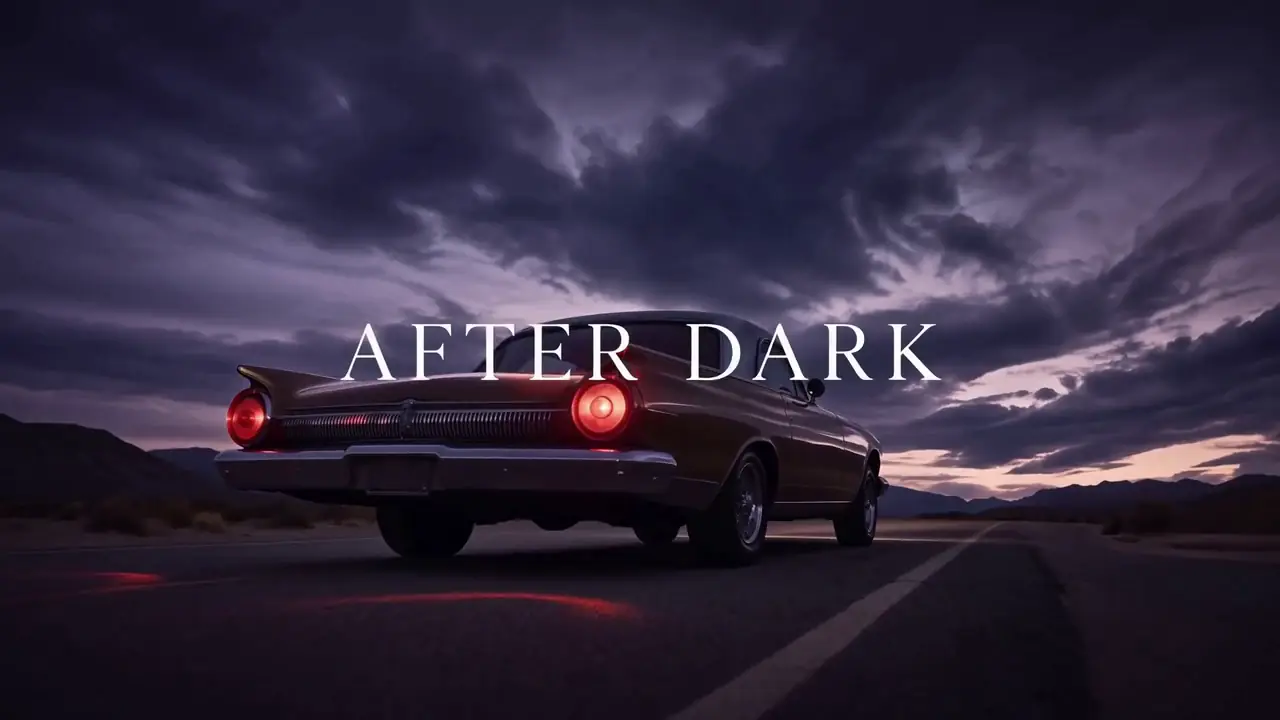
Desert Fashion Campaign
Fashion- Model
- MiniMax H3
- Duration
- 15 seconds
- Resolution
- 768p
- Est. cost
- 90 credits
“Create a premium 16:9 landscape fashion film. Use Image 1 for the overall mood, location, and film texture; Image 2 for the talent; Image 3 for the bag; and Image 4 for the closing brand mark. This is a fashion campaign for the clothing and bag. The tone is elevated, cool, and restrained, but the edit should still feel lively and fashion-forward—not like a conventional narrative film or an e-commerce ad. Keep the story simple: beside a vintage car on a desert highway, a woman walks to the rear of the car, opens the trunk, takes out a black bag, shares a quiet beat with the man standing nearby, then leaves carrying the bag. Integrate the clothing and bag naturally into the performance so they feel like part of the characters’ identity. PRODUCTION CONTROL MODE: Reference to Video. Image 1 controls desert location and film texture; Image 2 the woman; Image 3 the black bag; Image 4 the closing mark. ACTION ORDER: approach trunk → open trunk → lift bag by its handle → brief eye contact → walk away. CAMERA: three restrained editorial setups, never more than one move per setup. PRODUCT LOCK: preserve bag silhouette, material, hardware and color. AUDIO: desert wind, trunk latch, footsteps on gravel; minimal music. END FRAME: clean brand mark after the walk-away. AVOID: extra products, wardrobe swaps and e-commerce turntable shots.”
View full promptHide full prompt
Create a premium 16:9 landscape fashion film. Use Image 1 for the overall mood, location, and film texture; Image 2 for the talent; Image 3 for the bag; and Image 4 for the closing brand mark. This is a fashion campaign for the clothing and bag. The tone is elevated, cool, and restrained, but the edit should still feel lively and fashion-forward—not like a conventional narrative film or an e-commerce ad. Keep the story simple: beside a vintage car on a desert highway, a woman walks to the rear of the car, opens the trunk, takes out a black bag, shares a quiet beat with the man standing nearby, then leaves carrying the bag. Integrate the clothing and bag naturally into the performance so they feel like part of the characters’ identity. PRODUCTION CONTROL MODE: Reference to Video. Image 1 controls desert location and film texture; Image 2 the woman; Image 3 the black bag; Image 4 the closing mark. ACTION ORDER: approach trunk → open trunk → lift bag by its handle → brief eye contact → walk away. CAMERA: three restrained editorial setups, never more than one move per setup. PRODUCT LOCK: preserve bag silhouette, material, hardware and color. AUDIO: desert wind, trunk latch, footsteps on gravel; minimal music. END FRAME: clean brand mark after the walk-away. AVOID: extra products, wardrobe swaps and e-commerce turntable shots.
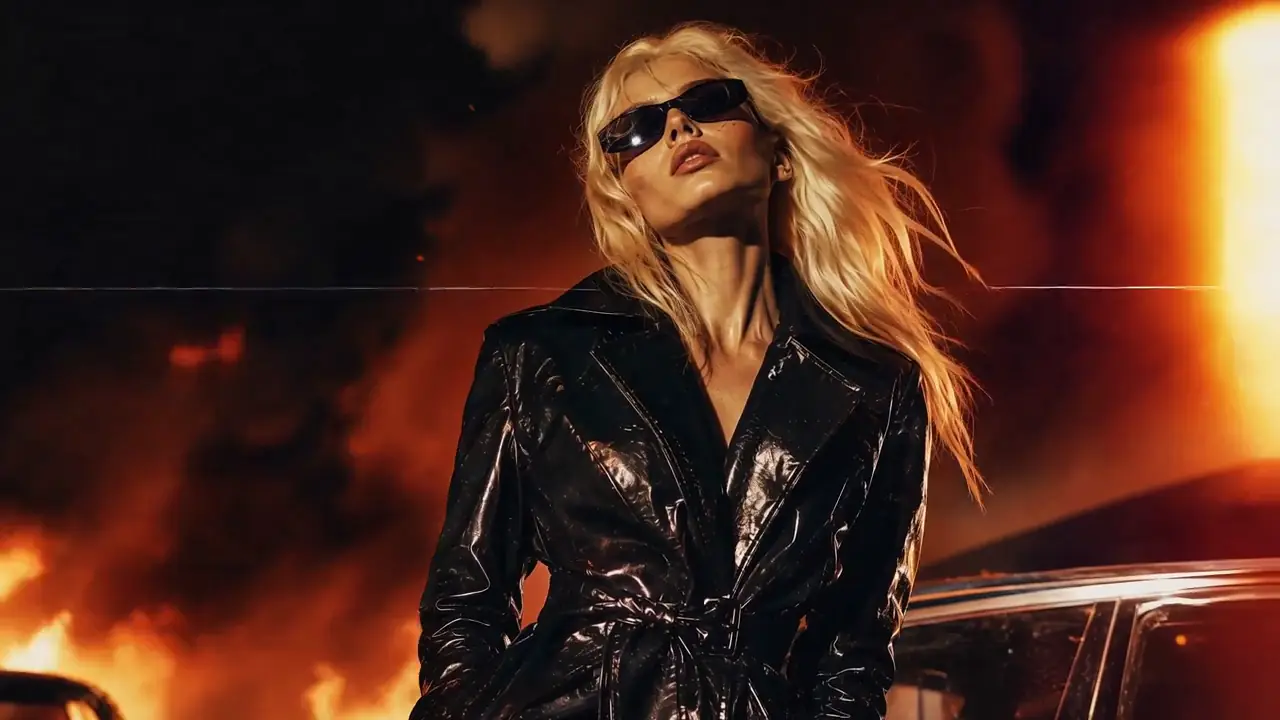
CinematicCyber-Grunge Fashion Film
Cinematic- Model
- MiniMax H3
- Duration
- 15 seconds
- Resolution
- 768p
- Est. cost
- 90 credits
“Use Image 1 as the reference for texture and mood, and Image 2 for the subject’s appearance. Generate a 15-second, 16:9 fashion short. Preserve the subject’s identity: long platinum-blonde hair, narrow black vintage sunglasses, a glossy black patent-leather trench coat, a cool, self-assured expression, and orange firelight reflected across the coat. Style: fast-cut fashion film on analog stock, set against a nighttime blaze with black smoke and orange-red flames. Layer in VHS glitches, CCTV signal interruptions, 1990s film grain, scanlines, chromatic aberration, light leaks, flash-to-white transitions, and subtle frame jitter. PRODUCTION CONTROL MODE: Reference to Video. Image 1 controls texture and fire-lit mood; Image 2 controls identity, hair, sunglasses and coat. TIMELINE: 0–4s close-up identity lock; 4–10s two fashion poses with hard cuts; 10–15s walking hero shot. EFFECT RULE: glitches may affect signal and background, not facial geometry or garment construction. CAMERA: handheld 35mm language with two deliberate flash cuts. AUDIO: fire crackle, low industrial beat and one tape-stop accent. AVOID: face replacement, coat color changes, continuous glitch overlays and unreadable silhouettes.”
View full promptHide full prompt
Use Image 1 as the reference for texture and mood, and Image 2 for the subject’s appearance. Generate a 15-second, 16:9 fashion short. Preserve the subject’s identity: long platinum-blonde hair, narrow black vintage sunglasses, a glossy black patent-leather trench coat, a cool, self-assured expression, and orange firelight reflected across the coat. Style: fast-cut fashion film on analog stock, set against a nighttime blaze with black smoke and orange-red flames. Layer in VHS glitches, CCTV signal interruptions, 1990s film grain, scanlines, chromatic aberration, light leaks, flash-to-white transitions, and subtle frame jitter. PRODUCTION CONTROL MODE: Reference to Video. Image 1 controls texture and fire-lit mood; Image 2 controls identity, hair, sunglasses and coat. TIMELINE: 0–4s close-up identity lock; 4–10s two fashion poses with hard cuts; 10–15s walking hero shot. EFFECT RULE: glitches may affect signal and background, not facial geometry or garment construction. CAMERA: handheld 35mm language with two deliberate flash cuts. AUDIO: fire crackle, low industrial beat and one tape-stop accent. AVOID: face replacement, coat color changes, continuous glitch overlays and unreadable silhouettes.
 Cinematic
Retro Anime Crime Title Sequence
Cinematic- Model
- MiniMax H3
- Duration
- 15 seconds
- Resolution
- 768p
- Est. cost
- 90 credits
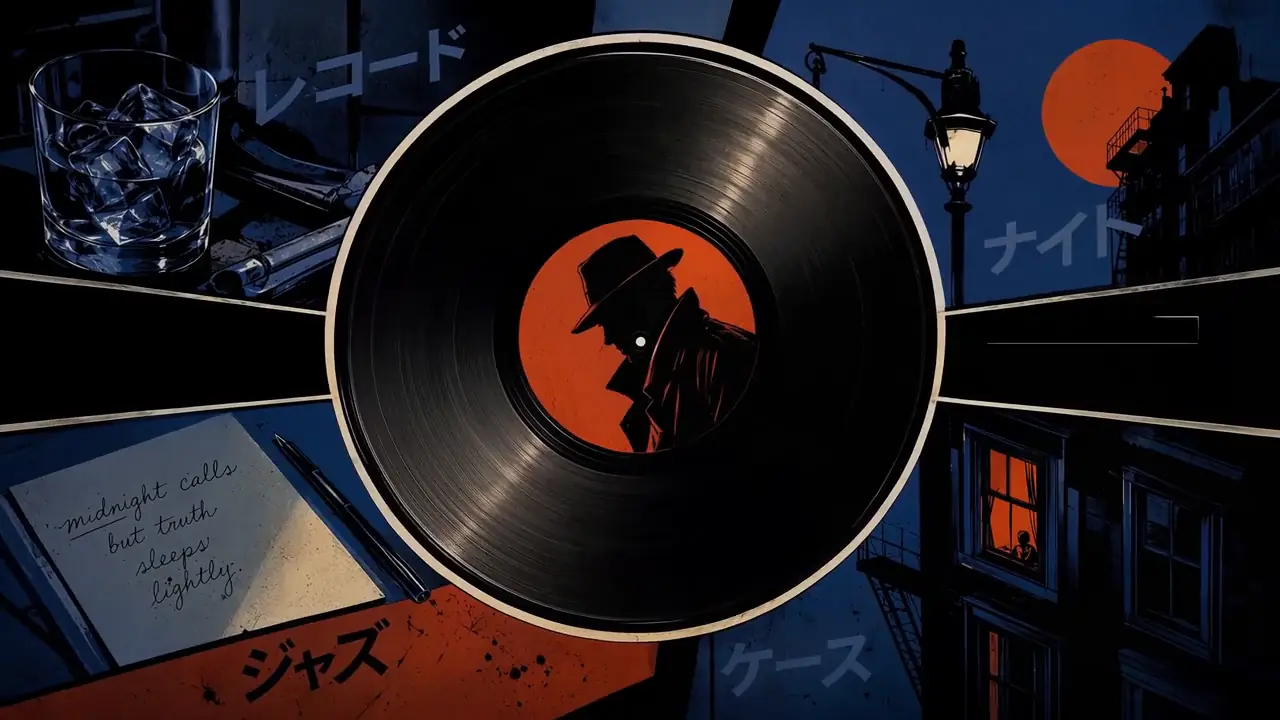
“Create a 15-second, 16:9 opening-title sequence for a stylish crime mystery. Draw from retro Japanese animation titles, hard-edged silhouettes, comic-book collage, asymmetric split screens, bold geometric color fields, English credit typography, sparse katakana accents, and a noir-jazz sensibility. Aim for 60% suspense and 40% jazz: mysterious, cool, agile, and urban—never horror, heavy drama, or a cheerful jazz music video. Build the sequence as motion-graphics collage: linework appears over black, split-screen boundaries snap into place, then color blocks and frames assemble piece by piece. Character silhouettes, prop close-ups, and English credits slide, pop, and reveal through masks on the beat. Keep it designed and graphic, not like conventional narrative animation. Credits must be clean and legible. Animate thin frames drawing on, names sliding in, letters appearing one at a time, or color blocks revealing type, then hold briefly. Do not introduce Chinese text, garbled characters, or misspellings. Each role and each name appears once only; do not assign multiple roles to the same name. Vary the transitions: circular vinyl-record wipes, vertical car-door cuts, long character shadows wiping frame, red-line slices, oversized letter masks, split-screen reconfigurations, hard color-block cuts, and tiled frames snapping into place. Keep every transition crisp, rhythmic, suspenseful, and collage-driven. No soft dissolves or fluid morphs. BGM: an original 15-second title cue, 60% suspense and 40% jazz. Use a low drone, tense string pizzicato, cool synth pulses, low kick, sparse brushwork, fragments of walking bass, short baritone-sax phrases, and clipped brass accents. Build suspense with low frequencies and hi-hat in the first 2 seconds; bring in the low beat at 3 seconds, jazz-bass movement at 6 seconds, and a short sax/brass riff at 10 seconds. Freeze the final 2 seconds on a tense chord and drum hit. Keep it mysterious and criminally cool, never upbeat, and do not imitate an existing melody. PRODUCTION CONTROL MODE: Reference to Video. Images 1–5 define graphic language, character silhouettes, palette and credit layout; do not combine identities across references. SHOT PLAN: black-and-white linework → geometric split-screen assembly → prop close-ups → final ensemble title. TYPOGRAPHY LOCK: exact English credit strings supplied in the prompt, one credit per card, minimum one-second hold. MOTION: masks, slides and snap cuts on beat; no fluid morphing. AUDIO: brushed drums, upright bass and clipped brass accents. AVOID: narrative lip sync, 3D rendering, horror imagery and decorative fake text.”
View full promptHide full prompt
Create a 15-second, 16:9 opening-title sequence for a stylish crime mystery. Draw from retro Japanese animation titles, hard-edged silhouettes, comic-book collage, asymmetric split screens, bold geometric color fields, English credit typography, sparse katakana accents, and a noir-jazz sensibility. Aim for 60% suspense and 40% jazz: mysterious, cool, agile, and urban—never horror, heavy drama, or a cheerful jazz music video. Build the sequence as motion-graphics collage: linework appears over black, split-screen boundaries snap into place, then color blocks and frames assemble piece by piece. Character silhouettes, prop close-ups, and English credits slide, pop, and reveal through masks on the beat. Keep it designed and graphic, not like conventional narrative animation. Credits must be clean and legible. Animate thin frames drawing on, names sliding in, letters appearing one at a time, or color blocks revealing type, then hold briefly. Do not introduce Chinese text, garbled characters, or misspellings. Each role and each name appears once only; do not assign multiple roles to the same name. Vary the transitions: circular vinyl-record wipes, vertical car-door cuts, long character shadows wiping frame, red-line slices, oversized letter masks, split-screen reconfigurations, hard color-block cuts, and tiled frames snapping into place. Keep every transition crisp, rhythmic, suspenseful, and collage-driven. No soft dissolves or fluid morphs. BGM: an original 15-second title cue, 60% suspense and 40% jazz. Use a low drone, tense string pizzicato, cool synth pulses, low kick, sparse brushwork, fragments of walking bass, short baritone-sax phrases, and clipped brass accents. Build suspense with low frequencies and hi-hat in the first 2 seconds; bring in the low beat at 3 seconds, jazz-bass movement at 6 seconds, and a short sax/brass riff at 10 seconds. Freeze the final 2 seconds on a tense chord and drum hit. Keep it mysterious and criminally cool, never upbeat, and do not imitate an existing melody. PRODUCTION CONTROL MODE: Reference to Video. Images 1–5 define graphic language, character silhouettes, palette and credit layout; do not combine identities across references. SHOT PLAN: black-and-white linework → geometric split-screen assembly → prop close-ups → final ensemble title. TYPOGRAPHY LOCK: exact English credit strings supplied in the prompt, one credit per card, minimum one-second hold. MOTION: masks, slides and snap cuts on beat; no fluid morphing. AUDIO: brushed drums, upright bass and clipped brass accents. AVOID: narrative lip sync, 3D rendering, horror imagery and decorative fake text.
 Cinematic
Hand-Drawn Kitchen Creature
Cinematic- Model
- MiniMax H3
- Duration
- 15 seconds
- Resolution
- 768p
- Est. cost
- 90 credits
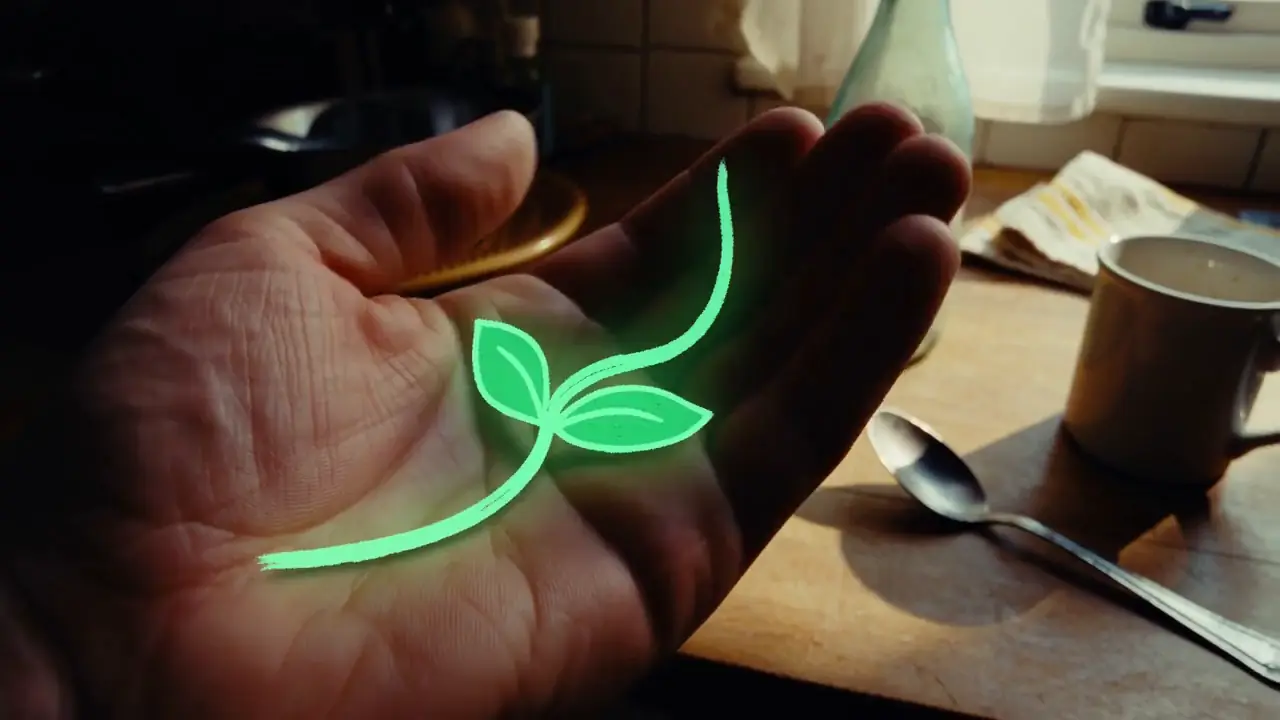
“15 seconds, 16:9 landscape. Blend live-action footage of a small kitchen at dusk with hand-drawn luminous animation. The last sunset light lingers at the window. The lived-in kitchen contains an old wooden table, a half-washed mug, a lightly fogged glass bottle, and a hanging dish towel. Shoot as if someone is filming one-handed on a phone: subtle hand tremor, hesitant close-focus pulls, backlit exposure breathing, and slightly coarse noise in the shadows. It should feel like an astonishing event captured in a rush at home, not a carefully dressed commercial. Do not show giant eyes, split mouths, fangs, threatening behavior, lunges, sudden black frames, or jump scares. Use only room tone, cloth friction, a soft mug clink, faucet drips, the camera operator’s footsteps and quiet breathing, plus gentle electronic tones and tiny vocalizations from the drawn creatures. PRODUCTION CONTROL MODE: Text to Video. TIMELINE: 0–4s hesitant kitchen discovery; 4–9s luminous creature crosses the table; 9–13s it reacts to a mug clink; 13–15s operator steadies the phone. CAMERA: one-handed phone, delayed autofocus and exposure breathing. SOUND: room tone, faucet drip, cloth friction, mug clink, footsteps and breathing; only tiny electronic creature tones, no score. CONTINUITY: kitchen layout and sunset direction remain stable. AVOID: giant eyes, fangs, lunges, jump cuts to black and studio lighting.”
View full promptHide full prompt
15 seconds, 16:9 landscape. Blend live-action footage of a small kitchen at dusk with hand-drawn luminous animation. The last sunset light lingers at the window. The lived-in kitchen contains an old wooden table, a half-washed mug, a lightly fogged glass bottle, and a hanging dish towel. Shoot as if someone is filming one-handed on a phone: subtle hand tremor, hesitant close-focus pulls, backlit exposure breathing, and slightly coarse noise in the shadows. It should feel like an astonishing event captured in a rush at home, not a carefully dressed commercial. Do not show giant eyes, split mouths, fangs, threatening behavior, lunges, sudden black frames, or jump scares. Use only room tone, cloth friction, a soft mug clink, faucet drips, the camera operator’s footsteps and quiet breathing, plus gentle electronic tones and tiny vocalizations from the drawn creatures. PRODUCTION CONTROL MODE: Text to Video. TIMELINE: 0–4s hesitant kitchen discovery; 4–9s luminous creature crosses the table; 9–13s it reacts to a mug clink; 13–15s operator steadies the phone. CAMERA: one-handed phone, delayed autofocus and exposure breathing. SOUND: room tone, faucet drip, cloth friction, mug clink, footsteps and breathing; only tiny electronic creature tones, no score. CONTINUITY: kitchen layout and sunset direction remain stable. AVOID: giant eyes, fangs, lunges, jump cuts to black and studio lighting.
Comparison Tip
Do not compare API price alone. Record how many requests are required before one output passes your production acceptance criteria.
Cost per Accepted Clip = Total Generation Spend ÷ Accepted Outputs
The Biggest Difference: H3 Is More Flexible; Veo 3.1 Reaches 4K
The most visible difference is resolution: H3’s official system reaches up to 2K, while Veo 3.1 can generate 4K. But resolution alone does not describe the tradeoff. H3 offers a wider native duration range and broader multimodal reference contract. Veo offers higher maximum cloud resolution, but several higher-end capabilities constrain other settings.
The useful H3 vs Veo 3.1 comparison is not simply 2K versus 4K; it is flexible multimodal generation versus a higher-resolution managed workflow with more parameter coupling.
Veo 3.1 Settings Are Coupled
Veo 3.1 is often summarized as supporting 4-, 6- or 8-second video at up to 4K. That is incomplete because those options are not freely interchangeable. Google’s current parameter contract adds constraints when resolution, references or extension are enabled.
| Veo 3.1 workflow | Allowed / required configuration |
|---|---|
| 720p basic generation | 4, 6 or 8 sec |
| 1080p | 8 sec required |
| 4K | 8 sec required |
| Reference-image workflow | 8 sec required where supported |
| Video extension | 8-sec contract; extension output is 720p |
| Extension input | Previous Veo-generated video |
| Extension aspect ratio | 16:9 or 9:16 |
| Extension resolution | 720p |
Veo 3.1’s 4-, 6- and 8-second options do not apply equally to every mode: 1080p, 4K and reference-image workflows require an 8-second generation, while extension uses 720p.
What this means in production
A six-second 4K native brief is not an exposed combination; the nearest native 4K configuration is eight seconds. H3 does not offer 4K, but its documented output-duration contract is materially more flexible: any whole second from four through fifteen.
Native Video Length vs Veo Extension
Veo can create a much longer final video than its eight-second native limit by extending an existing Veo-generated video. That is different from generating a long native clip in one request.
| Duration concept | MiniMax H3 | Veo 3.1 |
|---|---|---|
| Native options | Any whole second from 4–15 | 4 / 6 / 8 sec |
| Maximum native clip | 15 sec | 8 sec |
| Dedicated extension | No equivalent chain | Yes |
| Extension amount | — | +7 sec each extension |
| Maximum extensions | — | Up to 20 |
| Required input | — | Previous Veo-generated video |
| Maximum extension input | — | 141 sec |
| Maximum combined output | — | About 148 sec |
| Extension resolution | — | 720p |
Veo 3.1 can reach approximately 148 seconds through chained extensions, but that should not be described as a 148-second native generation.
For a standalone twelve-second shot, H3 can generate that duration natively. Veo requires a different production strategy because native generation tops out at eight seconds.
MiniMax H3 2K vs Veo 3.1 4K
Veo has the clear specification advantage when native 4K is mandatory. H3’s complete official system supports up to 2K. Veo supports 720p, 1080p and 4K in higher-end variants, subject to mode restrictions. Choose Veo when an eight-second native clip and Gemini API fit the brief. H3 can fit better when 2K is enough, 9–15 seconds are needed, mixed references matter or local experimentation matters.
Higher resolution is not the same as higher creative quality.
Native Audio: Both Models Generate Audio with Video
Both are audiovisual generation systems. MiniMax documents H3 output as native 32 kHz stereo. Google documents Veo 3.1 as generating native audio together with video. The useful difference is how audio interacts with the wider control contract.
| Audio capability | H3 | Veo 3.1 |
|---|---|---|
| Native generated audio | Yes | Yes |
| Documented output | 32 kHz stereo | Native audio |
| Audio reference input | Supported within Ref2VA rules | No equivalent external audio-reference contract |
| Dialogue / ambience prompting | Yes | Yes |
| Reference audio as context | Yes, with companion visual input | Different contract |
First and Last Frame: Both Models Support It
First-and-last-frame generation is not H3-exclusive. H3 FL2VA supports zero, one or two images: no image for text-to-video, one for first- or last-frame generation, and two for first-plus-last. Veo 3.1 also supports frame-specific generation with first and last images.
Both H3 and Veo 3.1 support first-and-last-frame generation; the useful comparison is which surrounding duration, resolution and reference controls can be combined.
MiniMax H3 vs Veo 3.1 Reference Control
Veo can use up to three image references in its supported reference workflow to guide a person, character or product. H3 Ref2VA uses broader multimodal context: up to nine images, three video clips and three audio clips, with a maximum of twelve mixed files under documented limits.
| Reference type | H3 Ref2VA | Veo 3.1 |
|---|---|---|
| Images | Up to 9 | Up to 3 where supported |
| Video | Up to 3 clips | Prior Veo output for extension; not equivalent |
| Audio | Up to 3 with visual companion input | No equivalent external reference-audio contract |
| Mixed files | Up to 12 | Different constrained contract |
| Reference duration effect | Within H3 input limits | Reference workflow requires 8-second output |
These counts are not a quality score. They define which production materials each request can carry. Read the MiniMax H3 reference-to-video guide.
H3 Open-Weight Route vs Veo 3.1 Managed Cloud
H3-Base has public FL2VA and Ref2VA checkpoints and a local shorter-side 768px path. The complete official H3 2K workflow is not fully local: Context-IR and Regenerate-2K remain hosted stages. Veo 3.1 is a managed Google service without public weights.
| Route | Local component | Hosted dependency | Best fit |
|---|---|---|---|
| H3-Base local | Public base checkpoint | None for base-only path | Research and infrastructure control |
| Complete H3 2K | H3-Base may be local | Context-IR and regeneration | Official 2K workflow |
| H3 hosted API | None | MiniMax platform | Managed H3 production |
| Veo 3.1 | None | Gemini API | Google-managed production |
Use the MiniMax H3 open-weight guide, run MiniMax H3 locally guide and MiniMax H3 ComfyUI workflow for deployment planning.
Veo 3.1 Standard, Fast and Lite Are Not the Same Contract
“Veo 3.1” names a family. Standard, Fast and Lite have distinct model IDs, prices and supported ceilings. A comparison that quotes Lite’s price and Standard’s 4K/extension contract as if one endpoint offers both is misleading.
| Variant | Model ID | Resolution | Workflow notes | Price position |
|---|---|---|---|---|
| Standard | veo-3.1-generate-preview | 720p, 1080p, 4K | References and extension | Highest listed Veo rate |
| Fast | veo-3.1-fast-generate-preview | 720p, 1080p, 4K | References and extension in current family contract | Lower than Standard |
| Lite | veo-3.1-lite-generate-preview | 720p, 1080p; no 4K | No extension; reduced contract | Lowest listed Veo rate |
All three currently generate native audio and expose 4/6/8-second choices, with 1080p requiring eight seconds. Standard and Fast reach 4K; Lite does not. Extension is documented for Standard and Fast, not Lite. Preview contracts may change before stable release.
MiniMax H3 vs Veo 3.1 API Pricing
Prices below are provider list prices checked September 5, 2026. H3 input-reference material can add charges. Google states Veo is charged only when video generation succeeds, but a technically successful output may still fail your production acceptance test.
| Model | Resolution | List price | Nominal 8-sec cost |
|---|---|---|---|
| MiniMax H3 | 768P | $0.08/sec | $0.64 |
| MiniMax H3 | 2K | $0.13/sec | $1.04 |
| H3 regeneration | 768P → 2K | $0.05/sec | $0.40 |
| Veo 3.1 Standard | 720p / 1080p | $0.40/sec | $3.20 |
| Veo 3.1 Standard | 4K | $0.60/sec | $4.80 |
| Veo 3.1 Fast | 720p | $0.10/sec | $0.80 |
| Veo 3.1 Fast | 1080p | $0.12/sec | $0.96 |
| Veo 3.1 Fast | 4K | $0.30/sec | $2.40 |
| Veo 3.1 Lite | 720p | $0.05/sec | $0.40 |
| Veo 3.1 Lite | 1080p | $0.08/sec | $0.64 |
| Veo 3.1 Lite | 4K | Unsupported | — |
H3 768P and Veo Lite 1080p both nominally equal $0.64 for eight seconds, yet their contracts differ. Veo Lite 720p is the lowest listed nominal example at $0.40. Standard 4K is $4.80. Price comparisons must keep resolution, tier, references and intended delivery constant.
Price per Second Is Not Production Cost
Nominal request price excludes retries, rejected clips, reference preparation, extension continuity failures, local infrastructure, post-production and the value of time. Track total spend across every attempt. If ten $0.40 clips yield one acceptable result, accepted-output cost is $4.00, not $0.40.
Cost per Accepted Clip = Total Generation Spend ÷ Accepted Outputs
Compare Production Cost
Run your actual brief and track retries before choosing from list pricing.
Test an H3 BriefWhere Veo 3.1 Has a Clear Advantage
- Native 4K output in Standard and Fast
- Dedicated chained extension up to about 148 seconds
- Gemini API integration for Google-centered products
- Three explicit price/performance tiers
- Managed infrastructure without local GPU operations
These are contract advantages, not proof of a universal quality winner. An eight-second constraint and managed cloud dependency may be benefits or limits depending on the shot.
Where MiniMax H3 Has a Clear Specification Advantage
- Any whole-second native duration from 4–15
- Up to nine images, three videos and three audio references
- Maximum twelve mixed reference files
- Public H3-Base FL2VA and Ref2VA weights
- Native audio specification published as 32 kHz stereo
H3 does not supply native 4K or a Veo-equivalent extension chain. Public base weights also do not make the complete official 2K workflow fully local.
MiniMax H3 or Veo 3.1: Which Should You Choose?
| Production requirement | Start with | Reason |
|---|---|---|
| Native 9–15 second shot | H3 | H3 can generate it in one native request |
| Native 4K delivery | Veo 3.1 Standard or Fast | Veo exposes 4K when configured for 8 seconds |
| Audio reference as creative context | H3 | Ref2VA accepts audio with documented companion-input rules |
| Google application infrastructure | Veo 3.1 | Gemini API authentication, billing and tooling |
| Local/open-weight experimentation | H3-Base | Public checkpoints; distinguish base 768px from complete 2K |
| Long chained scene continuation | Veo 3.1 Standard/Fast | Dedicated +7-second extension workflow |
| Exact 6-second 4K request | Neither exact contract | Veo 4K requires 8 seconds; H3 tops out at 2K |
| Lowest nominal 8-second API request | Veo Lite 720p | $0.40 nominal; verify capability fit |
| Broad mixed reference pack | H3 | Up to 12 mixed image/video/audio files |
| First-to-last-frame interpolation | Test both | Both support it; surrounding constraints decide |
For filmmaking, distinguish a single shot from a sequence. H3’s fifteen-second native envelope can suit longer uninterrupted action. Veo’s extension can build a longer final asset, but continuity must survive each chained request and output remains 720p.
For product videos and ads, reference identity, label geometry, exact duration and delivery resolution matter more than a generic “cinematic” score. Veo’s 4K can satisfy delivery requirements; H3’s larger mixed reference pack can carry more brand context. Test both with identical acceptance rules.
For developers, choose the operational contract as carefully as the model. MiniMax H3 offers hosted API and public-base experimentation. Veo fits Gemini authentication, billing and observability. Version adapters should encode supported duration-resolution combinations rather than trusting arbitrary UI inputs.
How MiniMax3.org Would Compare H3 and Veo Fairly
MiniMax3.org does not publish a visual-quality winner until a matched first-party benchmark is complete. Current status: first_party_test_pending.
Reproducible benchmark brief
“A premium cobalt glass bottle sits on a pale stone plinth at sunrise. A slow controlled push-in reveals condensation while a linen ribbon moves gently in the wind. Preserve bottle proportions and label geometry. Natural stereo ambience, no cuts, no extra objects.”
Run at matched aspect ratio and the closest comparable resolution, then separately test each model’s unique advantage: H3 at twelve seconds with mixed references, Veo at eight-second 4K, and Veo extension as its own workflow. Do not merge those tests into one score.
Record for every attempt
- Provider model ID
- Prompt and negative constraints
- Input files and hashes
- Duration and resolution
- Native or extension request
- Nominal charge
- Latency and failure state
- Accepted or rejected
- Identity and text retention
- Camera compliance
- Audio suitability
- Post-production minutes
Acceptance requires stable product geometry, legible label structure, coherent motion, requested camera direction, no unwanted cuts, suitable audio and no severe artifacts. Publish output files and run metadata before declaring a winner.
Machine-Readable Comparison Dataset
The downloadable dataset separates H3, Veo Standard, Veo Fast and Veo Lite. It records parameter coupling, extension fields, provider prices, null unknowns, sources and benchmark status.
MiniMax H3 vs Veo 3.1 FAQ
Which is better, MiniMax H3 or Veo 3.1?
Neither is universally better. Veo 3.1 is the clearer choice for native 4K or Google-managed extension. H3 is stronger on paper for flexible 4–15 second native duration, broad multimodal references and an open-weight base route.
What is the maximum native duration of MiniMax H3?
H3 supports any whole-second duration from four through fifteen seconds.
What is the maximum native duration of Veo 3.1?
Veo 3.1 native generation supports four, six or eight seconds, with eight seconds required by several higher-end modes.
Can Veo 3.1 generate 148 seconds natively?
No. Approximately 148 seconds is the combined result of chained extensions, not one native generation. Each extension adds seven seconds to a qualifying prior Veo-generated video.
Does Veo 3.1 support 4K?
Yes. Current Standard and Fast variants support 4K at an eight-second duration. Lite does not support 4K.
Does MiniMax H3 support 4K?
No official 4K H3 output is documented. The complete official H3 workflow supports up to 2K.
Does H3 generate native audio?
Yes. MiniMax documents native 32 kHz stereo audio with H3 video.
Does Veo 3.1 generate native audio?
Yes. Google documents Veo 3.1 as generating audio natively with video.
Can both models use first and last frames?
Yes. H3 FL2VA accepts first and last images, and Veo 3.1 supports frame-specific interpolation. Mode constraints still need to be checked.
How many image references can H3 use?
H3 Ref2VA accepts up to nine images, subject to a maximum of twelve mixed reference files.
How many reference images can Veo 3.1 use?
Google documents up to three image references in the supported reference-image workflow, which requires an eight-second generation.
Can H3 use video references?
Yes. Ref2VA accepts up to three video clips under documented duration limits.
Can Veo use an arbitrary video reference for extension?
No. Gemini API extension requires a previous Veo-generated video and uses 720p, 16:9 or 9:16 input.
Can H3 use audio references?
Yes. Ref2VA accepts up to three audio clips, but audio must accompany image or video material and cannot be the sole input.
Is MiniMax H3 fully local at 2K?
No. Public H3-Base supports a local shorter-side 768px route; the complete official 2K workflow includes hosted Context-IR and regeneration stages.
Can Veo 3.1 run locally?
Google exposes Veo 3.1 as a managed service and does not publish downloadable model weights.
What is the cheapest Veo 3.1 tier?
Veo 3.1 Lite has the lowest listed rates: $0.05 per second at 720p and $0.08 at 1080p. It does not support 4K or extension.
How much does an eight-second H3 768P clip cost?
At the current $0.08 per-second list price, the nominal output charge is $0.64 before applicable reference-input charges.
How much does an eight-second Veo Standard 4K clip cost?
At $0.60 per second, the nominal charge is $4.80 for a successful eight-second generation.
Is Veo Fast the same contract as Veo Standard?
No. They are distinct model IDs and price tiers. Always check the exact variant’s current feature table rather than treating “Veo 3.1” as one interchangeable endpoint.
What does parameter coupling mean for Veo?
It means duration, resolution and workflow choices constrain one another. For example, 4K, 1080p and reference-image generation require eight seconds, while extension is limited to 720p.
How should I compare production cost?
Run a matched brief, count every successful, rejected and failed attempt, then divide total generation spend by the number of accepted outputs.
Which model fits product videos and ads?
Choose based on delivery constraints: Veo for native 4K and Google workflows; H3 for longer flexible shots, mixed references or open-weight experimentation. Test identity and text retention in matched runs.
Has MiniMax3.org declared a visual-quality winner?
No. A controlled matched first-party benchmark is still pending, so this page reports verified specifications and methodology rather than inventing a quality ranking.
Editorial Method
This comparison separates official provider specifications from MiniMax3.org first-party testing.
Current model versions, duration rules, resolution constraints, references, pricing and deployment information are checked against MiniMax and Google documentation.
Where no matched benchmark exists, this page reports documented capabilities and leaves performance rankings unfilled.
Continue with the MiniMax H3 guide, MiniMax H3 API guide, MiniMax H3 benchmark methodology or MiniMax H3 alternatives.
Sources & Verification
| Source | What it verifies | Last checked |
|---|---|---|
| MiniMax H3 research | H3 identity, duration, 2K and native audio | September 5, 2026 |
| MiniMax-H3 repository | FL2VA, Ref2VA, reference limits and local/hosted boundary | September 5, 2026 |
| MiniMax pricing | H3 per-second and regeneration rates | September 5, 2026 |
| Gemini API Veo guide | Variants, duration, resolution, references and extension | September 5, 2026 |
| Gemini API pricing | Standard, Fast and Lite rates | September 5, 2026 |
| Google DeepMind Veo | Model positioning and first/last-frame capability | September 5, 2026 |
Which Model Fits Your Shot?
Choose Veo when 4K or Google extension is the requirement. Choose H3 when flexible duration, multimodal references or an open-weight route matter. If neither is decisive, test the same production brief in both.
Try MiniMax H3MiniMax3.org is independent and is not operated by or affiliated with MiniMax or Google. Names are used for factual comparison.